When you hear the term “virtual image,” what comes to mind? For most of us, it might be two completely different things. One is a classic concept from physics class, and the other is a modern tool used everywhere from video games to real estate marketing.
Both ideas are about tricking our eyes into seeing something that isn’t physically present. But how they do it—and what they’re used for—couldn’t be more different.
The Two Worlds of Virtual Images
Let’s break down the two distinct meanings. Understanding both is the key to seeing how a simple concept from optics has evolved into a powerful digital strategy.
The Optical Virtual Image: Your Reflection in the Mirror
First, there’s the optical virtual image. This is the kind you see every single day.
Think about your reflection in a plain, flat mirror. You see a perfect, upright version of yourself that appears to be standing behind the glass. But you can’t reach back there and touch it, nor can you project it onto a wall. That’s because it isn’t really there.
What’s happening is that light rays from your face hit the mirror and bounce off, spreading out (or diverging) before they reach your eyes. Your brain, clever as it is, traces these diverging rays back to an imaginary point of origin behind the mirror. This creates the illusion—the virtual image. It’s a phenomenon of light and perception.
This principle is ancient, but it was also fundamental to the birth of photography. Around 1826, Joseph Nicéphore Niépce’s first photograph was captured using a camera obscura, a device that works by projecting a virtual image.
The Digital Virtual Image: The Power of Pixels
Now, let’s jump to the modern era. A digital virtual image has nothing to do with diverging light rays and everything to do with software, data, and artistry.
These are the photorealistic images created on a computer, designed to look indistinguishable from reality. In the world of marketing, especially real estate, they are game-changers. Common examples include:
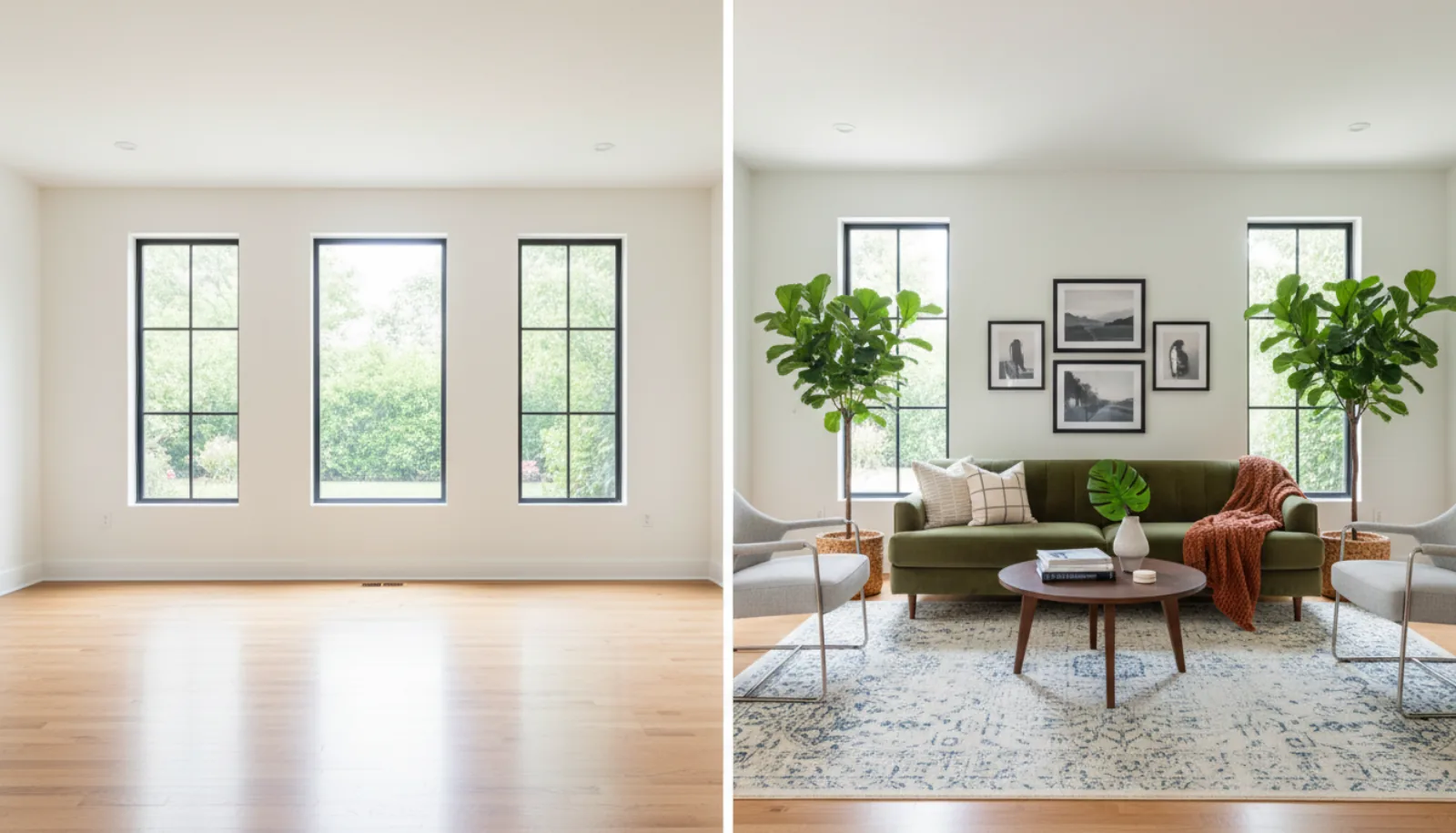
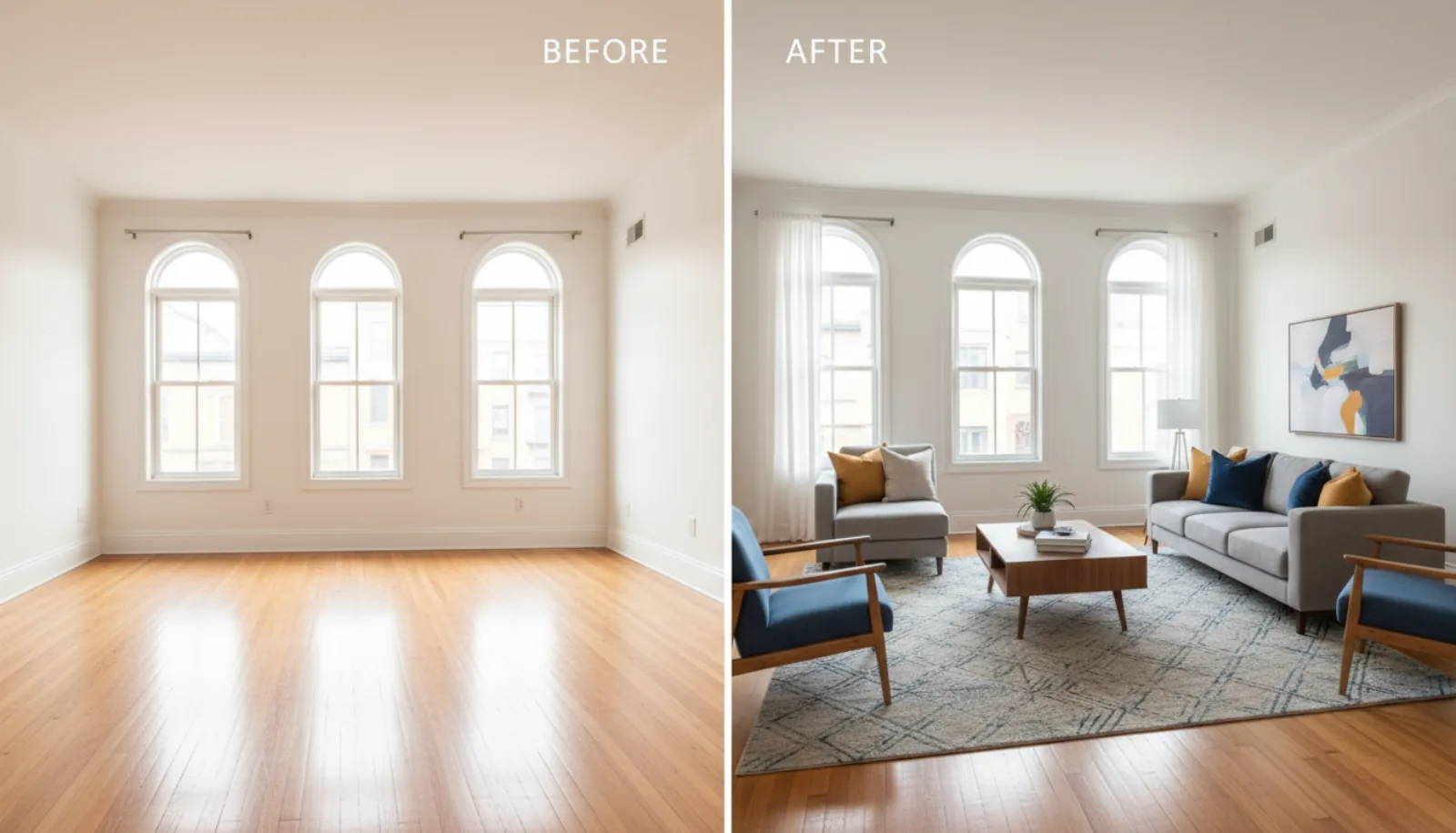
- Virtual Staging: Digitally adding stylish furniture and decor into photos of an empty house.
- Virtual Renovation: Showing buyers a home’s potential by displaying new paint colors, updated flooring, or a modernized kitchen.
- Item Removal: Erasing unwanted clutter, dated furniture, or personal items from a photograph to create a clean slate.
The chart below helps visualize this split between the physical phenomenon and the digital creation.

Unlike an optical image formed by light, a digital version is built from pixels. It often starts as a 3D model or a collection of digital assets that are then rendered into a 2D picture. The goal is to blend these new elements seamlessly into an existing photograph, making the final product look completely authentic.
For anyone curious about the nitty-gritty of this process, we have a guide that explains how to transform a 3D render into a realistic image.
To make the distinction even clearer, let’s put these two concepts side-by-side.
Optical vs. Digital Virtual Images At A Glance
This table breaks down the fundamental differences between the virtual images of physics and their modern digital counterparts.
| Attribute | Optical Virtual Image (The Mirror) | Digital Virtual Image (The Marketing Tool) |
|---|---|---|
| How It’s Formed | By diverging light rays that the eye traces back to an imaginary point. | By computer software manipulating pixels and rendering 3D models. |
| Location | Appears to be located where the light rays seem to originate (e.g., behind a mirror). | Exists as digital data on a screen or in a file; has no physical location. |
| Interaction | Can be seen, but cannot be touched, captured on a screen, or saved. | Can be edited, saved, shared, and printed. It is a tangible digital asset. |
| Core Example | Your reflection in a flat mirror or the image seen through a magnifying glass. | A virtually staged room, a CGI character in a movie, or a digital renovation. |
Ultimately, whether formed by light or by code, both types of virtual images are powerful illusions. One helps us understand the physical world, while the other helps us imagine—and sell—its possibilities.
Virtual Images Vs Real Images A Practical Comparison

The best way to get a handle on what a virtual image really is, is to put it side-by-side with its opposite: a real image. Though these terms come from optical science, the difference is surprisingly intuitive. Just think about going to the movies.
That massive picture flickering on the theater screen? That’s a perfect example of a real image. Light rays travel from the projector, physically converge, and land on the screen’s surface. This creates a picture that everyone can see. You could literally walk up and put your hand on the spot where the image is formed.
A virtual image, however, is more of an optical trick. The classic example is your own reflection in a mirror. The light rays reflecting off of you don’t actually meet behind the mirror; your brain is simply tricked into thinking they originate from that spot. You can’t capture your reflection by putting a piece of paper behind the mirror, because there’s simply nothing there. It’s a perceived image, not a projected one.
The Projection Test Distinguishing Real From Virtual
This leads to a dead-simple way to tell them apart: the “projection test.” Can the image be focused onto a physical surface?
- Real Image: Yes. It’s formed where light rays physically cross paths, so it can be captured on a movie screen, a wall, or a digital camera sensor. In fact, a camera lens, a projector, and even your own eye all work by forming real images.
- Virtual Image: No. It only exists where light rays appear to come from. Since no light actually reaches that point, you can’t project it onto a surface.
This core difference also explains why they look different. Real images are almost always inverted—upside down—relative to the original object. A camera sensor, for instance, captures the world upside down, and digital software has to flip it right-side up for us. This is just a natural result of the light rays crossing.
A virtual image, on the other hand, is always upright. When you look in a flat mirror, you’re not standing on your head. That’s because the light rays diverge without ever crossing, which keeps the image oriented the same way as the object.
Comparing Key Characteristics
The distinction goes way beyond just being upright or upside down. For anyone working in photography or visual media, getting a feel for these differences is crucial. Even when you’re editing photos, a good grasp of how light really works helps you create results that look natural and believable. If that sounds interesting, you might want to dive into our guide on how to edit real estate photos.
Here’s a quick breakdown of the key differences:
| Characteristic | Real Image | Virtual Image |
|---|---|---|
| Formation | Formed by the actual intersection of light rays. | Formed by the apparent intersection of diverging light rays. |
| Projection | Can be projected onto a screen or surface. | Cannot be projected onto a screen. |
| Orientation | Typically inverted (upside down). | Always erect (upright). |
| Location | Located on the same side of the lens/mirror as the viewer. | Located on the opposite side of the lens/mirror from the viewer. |
| Common Lens | Formed by a converging lens (like in a camera or projector). | Formed by a diverging lens or a plane mirror. |
So why does a real estate photographer need to know a little physics? Because this comparison is the key to understanding modern digital imagery. A virtually staged photo, for example, is a digital creation, but it’s designed to mimic a real-world scene. It creates the illusion of a tangible, furnished space—much like an optical virtual image creates the illusion of a person standing behind the mirror.
Alright, let’s shift from the science of optics to where the rubber meets the road in real estate. This is where digital virtual images truly come to life: virtual staging.
Virtual staging takes photos of empty, sometimes awkward-looking rooms and digitally furnishes them. The result? Warm, inviting spaces that feel like a real home, allowing potential buyers to forge an instant emotional connection.
We’ve all seen listings with vacant rooms. They can feel cold and uninspiring, making it tough for buyers to see themselves living there. The traditional fix was physical staging—a costly and complicated process involving designers, furniture rentals, and movers. It can easily cost thousands of dollars a month with no guarantee you’ll sell quickly. Virtual staging completely sidesteps those headaches, offering a remarkably effective and affordable alternative.
It’s More Than Just Digital Furniture
Think of virtual staging as visual storytelling. You’re not just plopping a digital sofa into a picture; you’re showing buyers the promise of a home. You help them see past the blank walls and start imagining where they’ll host family dinners or unwind after a long day.
This is what closes the “imagination gap” for buyers. An empty room leaves too many questions. How big is it, really? Will my king-sized bed fit? A well-staged photo answers those questions immediately, creating a powerful vision that a vacant space just can’t compete with.
That vision pays off. Over and over, the data confirms that staged homes sell faster and for better prices. In fact, professionally staged homes can sell for up to 20% more than their non-staged counterparts and spend far less time on the market.
By digitally furnishing a home, agents help buyers overcome the “imagination gap.” A well-staged photo allows them to visualize scale, flow, and function, turning an abstract floor plan into a tangible future home. This is the core purpose of using virtual images in a real estate context.
The Clear Return on Investment
The proof is in the results. Listings that feature high-quality, professional photos—especially those enhanced with virtual staging—get significantly more clicks and attention online. More eyes on your listing is the first crucial step to getting more tour requests and, ultimately, more competitive offers.
Here’s why it works so well:
- Massive Cost Savings: Virtual staging typically costs less than 1% of the price of traditional physical staging. This makes top-tier marketing accessible for every single listing, not just high-end properties.
- Unbeatable Speed and Flexibility: You can have an entire property staged digitally in a matter of hours, not weeks. Want to appeal to different buyers? You can easily create multiple versions of the same room, showcasing styles from modern minimalist to cozy farmhouse.
- Boosts Perceived Value: A beautifully furnished home simply looks more valuable and move-in ready. This justifies a stronger asking price and attracts serious buyers right from the start.
If you’re ready to see how these tools work, it’s worth exploring the different options available. You can learn more about the technology that makes it happen in our guide to real estate virtual staging software.
At the end of the day, virtual staging isn’t just a fleeting trend. It’s a smarter, more efficient way to market property and a must-have tool for gaining a clear edge in today’s market.
Showcasing Potential With AI-Powered Enhancements

So, how do we get from an empty room to a stunning, fully-furnished image that looks completely real? The secret ingredient is Artificial Intelligence. AI is the engine that makes modern virtual staging and image enhancement not just possible, but incredibly fast and convincing.
What used to take a skilled graphic designer hours or even days can now happen in a matter of seconds. This isn’t just about speed; it’s about making professional-grade marketing accessible. With a single click, you can show a property’s true potential, letting AI handle the heavy lifting of realistic lighting, shadows, and furniture scale.
More Than Just Digital Furniture
Today’s AI platforms have moved far beyond simply adding a sofa to a photo. They’re a complete toolkit for solving common listing photo problems and creating a full suite of marketing visuals for every property.
This allows agents and photographers to quickly pivot, creating different looks for different buyers or marketing channels. It’s a broad shift in content creation, and if you’re curious about how AI is reshaping digital marketing as a whole, it’s worth checking out related topics like AI for Social Media Content Creation.
Here are a few key enhancements that are now at your fingertips:
- Virtual Decluttering: Instantly clear out a space filled with personal belongings or dated furniture. This creates a clean slate, helping buyers see themselves in the home.
- Day-to-Dusk Conversions: Turn a standard daytime shot into a dramatic twilight photo. These “hero images” are proven to stop the scroll and get more clicks online.
- AI-Driven Style Swaps: Is your buyer looking for a modern, coastal, or farmhouse vibe? You can now swap entire interior design styles in a few clicks to show off a room’s versatility.
The real power of AI is its ability to create a suite of marketing assets from a single photo. This moves beyond simple staging to offer a dynamic, flexible way to present a property, ensuring it resonates with the ideal buyer.
From Days to Seconds: The New Workflow
The change to the workflow is massive. The old process—coordinating with a photographer, then sending images to a specialized editor for a multi-day turnaround—is gone. Now, it’s an instant, on-demand service.
This puts the control right back in the hands of real estate professionals. For anyone wanting to dig deeper into these new methods, we have a complete guide to AI real estate photo editing that breaks it all down.
Thanks to this speed and accessibility, high-end virtual images are no longer just for multi-million dollar listings. Every property can now have marketing photos that help it compete. AI helps you sell the vision—not just what the property is today, but everything it could be.
Best Practices For Using Virtual Images In Listings
When you use virtual images in your listings, you’re walking a fine line. On one hand, you want to show a property’s incredible potential. On the other, you have a responsibility to be completely transparent. Getting this balance right is what separates a great marketing strategy from a misleading one.
The golden rule, without a doubt, is full disclosure. Just about every Multiple Listing Service (MLS) has strict guidelines on this. You absolutely must label any photo that’s been digitally altered. A simple, clear watermark that says “Virtually Staged” or “Digitally Enhanced” is usually all it takes. This simple step protects your reputation and keeps everyone on the same page.
Buyers are sharper than ever, and it’s important to remember how they use online furniture photos to make smarter buying decisions. If they feel they’ve been misled, even slightly, that trust is gone in an instant.
Aim For Photorealism
Beyond just disclosing the changes, the quality of your virtual images makes all the difference. A sloppy virtual staging job can look cheap or distracting, doing more harm than good. To really capture a buyer’s imagination, the image has to look real. That all comes down to the technical details.
There are three make-or-break elements to creating a believable virtual image:
- Consistent Lighting: The light on the virtual furniture has to perfectly match the light that’s already in the room—its direction, warmth, and brightness.
- Accurate Shadows: Every piece of digital furniture needs to cast a realistic shadow based on the room’s light sources. This is the detail that makes an object feel like it’s actually sitting there.
- Correct Scale and Perspective: The furniture has to be the right size for the space. A couch that’s too big or a rug that’s too small will immediately feel “off” and shatter the illusion.
By focusing on photorealism and clear disclosure, you’re using virtual images as an ethical and powerful marketing tool. The goal isn’t to trick the eye, but to guide it, helping buyers envision a property’s true potential.
A Quick-Reference Checklist For MLS Compliance
Before you upload your photos, it’s always a good idea to run through a quick mental checklist. This ensures you’re meeting professional standards and protecting both yourself and your client.
- Always Disclose: Label every single image that has been digitally altered. This includes virtual staging, decluttering, or turning a daytime shot into a twilight one.
- Never Alter Fixed Features: Stick to showing the home as it truly is. Avoid digital renovations like removing walls, adding windows, or covering up damage.
- Provide “Before” and “After” Shots: If you can, show the empty room right next to the virtually staged version in your photo gallery. It’s the ultimate form of transparency and helps manage buyer expectations perfectly.
- Keep It Tasteful and Realistic: Choose furniture and decor that fit the home’s character and price point. Staging a starter home like a luxury mansion can feel inauthentic and might turn off the right buyers.
Exploring Other Applications Of Virtual Imagery

Virtual staging is a fantastic starting point, but it’s really just the beginning. To truly make a property stand out online, you need to think bigger. The most successful marketing campaigns layer different types of virtual imagery to tell a complete and compelling story that grabs a buyer’s attention and won’t let go.
Think about how people browse today. Many modern AI platforms can take your still photos and instantly spin them into a cinematic video walkthrough. These aren’t long, boring videos; they are short, punchy clips made for social media. They provide a scroll-stopping preview on Instagram or TikTok that static images just can’t deliver, giving buyers a real feel for the home’s flow and layout.
Creating Immersive Buyer Experiences
To take things a step further, you can give buyers the keys with a 360° virtual tour. By stitching multiple images into a seamless, interactive environment, these tours let a potential buyer explore the property on their own terms. They can digitally walk from the living room into the kitchen, glance up at the high ceilings, or even peer out the windows to check out the view—all from their laptop or phone.
This isn’t just a gimmick. It gives buyers a sense of control and presence, helping them form a genuine connection to the space. It’s the closest you can get to an actual showing, and it’s open 24/7 to anyone, anywhere in the world.
The goal is to create a cohesive marketing package. By combining photorealistic still images, engaging video walkthroughs, and immersive 360° tours, you cater to every type of online home shopper.
Showcasing Hidden Potential
This is where things get really exciting. The latest tools can help buyers see not just what a property is, but what it could become.
-
Virtual Renovation: This takes staging to a whole new level by digitally changing a home’s fixed features. You can show buyers exactly how a dated kitchen would look with sleek new cabinets and countertops. You can visualize a bathroom with modern tile or show how replacing old carpet with hardwood would transform the entire home. It’s all about showcasing potential.
-
AI Perspective Swaps: Sometimes, the perfect camera angle just isn’t physically possible. AI can now generate brand-new viewpoints, creating a bird’s-eye view to show off a room’s spacious layout or generating a perfect hero shot that frames the property beautifully.
When you use these advanced applications, you’re no longer just selling a house—you’re selling a vision. You give buyers the confidence they need to see a property’s future, turning a simple “what if” into a tangible, exciting reality.
Your Questions About Virtual Images Answered
Even after getting a handle on the basics, you’re bound to have some practical questions. When it comes to using virtual images for your listings, a few key concerns pop up time and time again.
Let’s walk through them so you can use these powerful tools with complete confidence and integrity.
Is Virtual Staging Deceptive To Potential Buyers?
This is the big one, and it’s a fair question. The short answer is no, it isn’t deceptive—as long as you’re transparent about it.
Think of it as helping buyers see a home’s full potential, not trying to pull the wool over their eyes. Most MLS platforms have clear rules on this, typically requiring a “Virtually Staged” label on any photo that’s been digitally furnished. As long as you aren’t changing the home’s actual structure (like removing a wall) and you clearly disclose the enhancements, virtual staging is a completely ethical and widely accepted marketing tool.
How Can I Ensure My Virtual Images Look Realistic?
Nothing kills a great listing faster than a poorly done virtual staging job. You know the kind—where the digital sofa looks like it’s floating an inch off the floor.
Getting that photorealistic look really boils down to three things: lighting, shadows, and scale. The lighting on the virtual furniture has to perfectly match the light coming through the windows. The shadows cast by that furniture need to fall in the right direction. And, of course, the furniture itself has to be sized correctly for the room. A comically large armchair can make a spacious living room feel cramped.
The most reliable way to nail this is by using a professional-grade AI platform. These systems are built to analyze the source photo and automatically get these crucial details right, creating a result that looks completely natural.
What Is The Difference Between Virtual Staging And Virtual Renovation?
It’s easy to get these two mixed up, but the distinction is critical.
Virtual staging is all about adding temporary items to a photo. You’re placing digital furniture, rugs, and artwork into an image of a room as it currently exists. It’s perfect for showing off a vacant property.
Virtual renovation, on the other hand, involves digitally changing the property’s fixed features. This is where you’re showing what could be with a little work. Common examples include:
- Replacing old carpet with new hardwood flooring
- Digitally painting walls a fresh, modern color
- Showing an updated kitchen with new cabinets or countertops
Virtual renovation is a fantastic tool for properties that need some TLC, but it requires even more careful disclosure. You have to be crystal clear that you’re showing a potential future state that requires construction, not the home’s current condition.
Ready to create stunning, MLS-compliant virtual images in seconds? BrightShot offers one-click virtual staging, decluttering, and a full suite of AI enhancements to showcase every property’s true potential. Transform your listings and attract more buyers by visiting https://bright-shot.com.