If you’re getting into real estate photography, you know that creating a stunning virtual tour is no longer just a nice-to-have—it’s a powerful tool that closes deals. This guide will walk you through everything you need to know about choosing the best cameras for 360 degree virtual tours, from simple point-and-shoot options to professional DSLR setups.
Why the Right Camera Is Your Most Important Tool

Think of your camera as the first handshake with a potential buyer. A grainy, low-quality virtual tour can make a beautiful home feel cheap and uninviting, just like a weak handshake can undermine a first impression. On the other hand, a great camera captures the true essence of a property, building an emotional connection before a buyer ever sets foot through the door.
This is what truly separates a top-performing listing. You’re not just showing four walls and a roof; you’re selling a vision. Your choice of camera is what brings that vision to life.
The Power of Professional Visuals
The results speak for themselves. Listings that feature professional, immersive tours consistently get more clicks, attract more serious buyers, and sell faster. This is why experienced photographers see their camera gear not as an expense, but as a crucial investment with a tangible return.
A quality camera setup allows you to:
- Capture Realistic Detail: Showcase the fine texture of hardwood floors, the subtle veining in marble countertops, and the way natural light fills a room.
- Create an Emotional Connection: Give buyers the freedom to explore a space on their own terms, letting them imagine cooking in the kitchen or relaxing in the living room.
- Stand Out in a Crowded Market: Immediately differentiate your listings with a premium, polished presentation that commands attention.
The real estate industry’s shift toward this kind of media is undeniable. The global market for 360-degree cameras was valued at USD 2.34 billion in 2025 and is expected to explode to USD 27.21 billion by 2035. This incredible growth shows just how essential these tools have become for marketing properties effectively.
More Than Just Tours
While virtual tours are the main event, the skills and equipment you invest in pay dividends across your entire marketing strategy. Understanding how to capture a space in 360 degrees makes you a better visual storyteller, which will help you boost your property’s visual appeal through compelling photos for social media, websites, and print. A great camera is a versatile workhorse that elevates every piece of content you create.
Understanding Your 360 Capture Options

When you’re looking at cameras for 360 degree virtual tours, it’s a bit like choosing a vehicle. The right choice really depends on where you’re going, how fast you need to get there, and how much control you want along the way. Your three main options are dedicated one-shot cameras, multi-shot DSLR rigs, and the smartphone in your pocket.
Let’s look at what each one brings to the table so you can match the gear to your real estate marketing goals.
The One-Shot 360 Camera
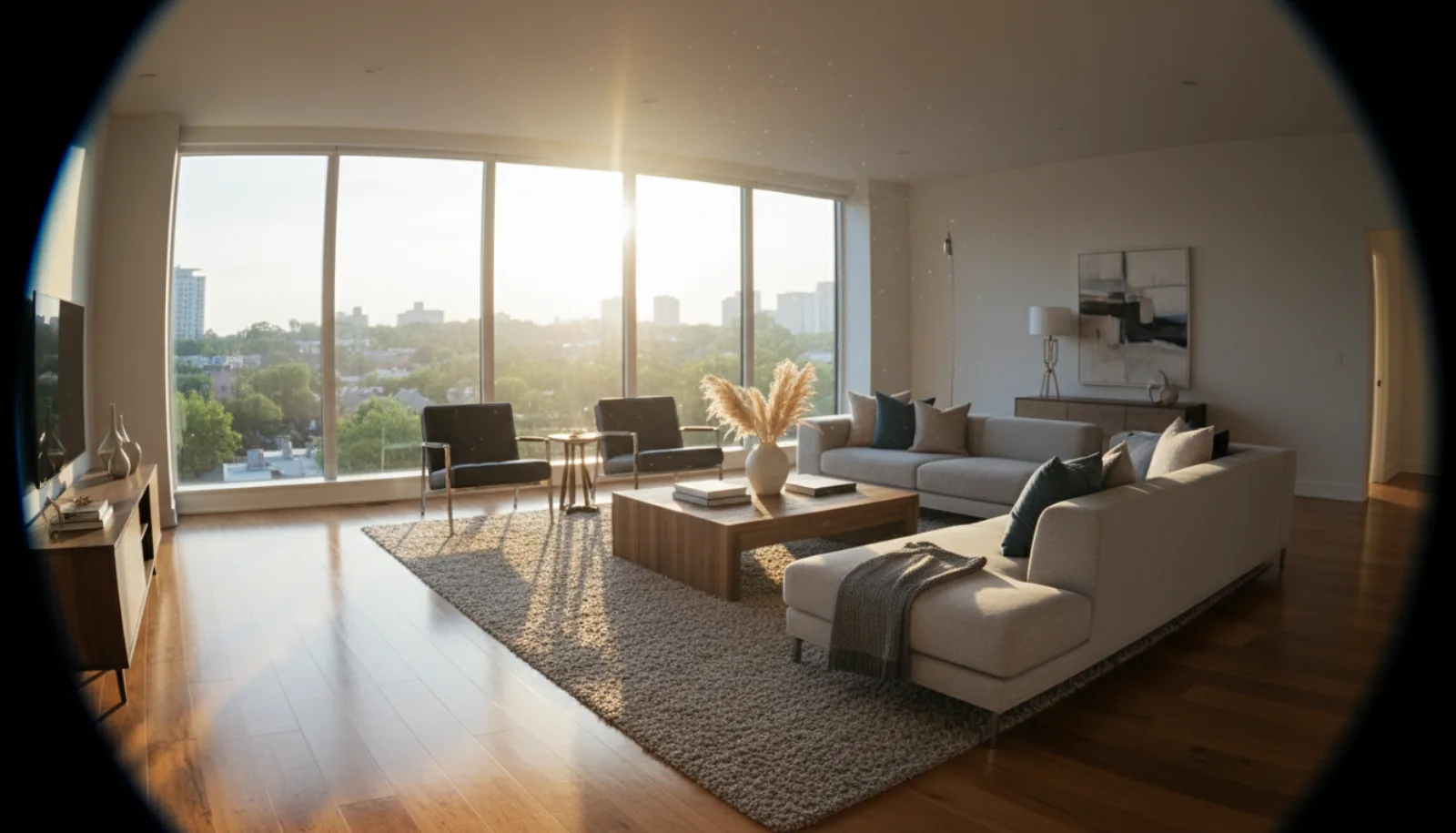
Think of a one-shot 360 camera as the workhorse sedan of virtual tour creation. It’s built for one thing: capturing a full, spherical image with a single press of a button. These cameras use a pair of ultra-wide fisheye lenses to see everything at once.
This is, by far, the most popular route for real estate professionals, and the reason is speed. You can walk through an entire property and capture every room in a fraction of the time it would take with any other method. The camera’s built-in software automatically stitches the two images together, delivering a complete 360-degree photo almost instantly.
- Best For: Agents and photographers who need to produce a high volume of tours quickly and don’t want to get bogged down by a complex workflow.
- Pros: Incredibly fast on-site capture, simple to operate, and easy to carry around.
- Cons: While the quality is often very good, it can’t quite match the raw detail you’d get from a high-end DSLR. You also give up most of your manual control over settings like exposure.
The DSLR and Panoramic Head Rig
If a one-shot is the practical sedan, then a DSLR rig is the custom-built race car. This is the setup for professionals who demand absolute peak quality. It involves mounting your DSLR or mirrorless camera onto a specialized panoramic tripod head, which allows you to rotate the camera with perfect precision. Instead of one shot, you’ll capture a sequence of overlapping, high-resolution photos.
Later, you’ll stitch these individual frames together using powerful software on your computer. The payoff for all that work is a stunningly detailed panorama with incredible dynamic range and sharpness.
This method gives you total command over every setting—focus, aperture, ISO, and white balance. It’s how you create truly artistic, magazine-quality virtual tours. But be warned: this power comes at a steep cost in time, both for the shoot itself and the editing afterward.
Smartphone-Based Solutions
Finally, there’s the option you already own: your smartphone. This approach is like grabbing an e-scooter—it’s incredibly convenient and gets the job done for short, simple trips, but you wouldn’t take it across the country. Using specific apps, you create a 360-degree image by slowly rotating your phone. Some people even use a small, motorized rotator for smoother results.
While you can’t beat the convenience, the image quality often isn’t quite up to the professional standard most listings demand. If you want to see how all these pieces fit into the bigger picture, our complete guide on how to create virtual tours for real estate breaks down the entire process.
Key Camera Specs That Matter for Real Estate
When you start shopping for a 360° camera, it’s easy to get buried in a mountain of technical jargon. But for real estate photography, only a handful of these specs truly make or break the final product. Getting them right is what separates a polished, inviting tour from one that looks blurry and unprofessional.
Think of it this way: anyone can buy a fancy oven, but a true chef knows which features are essential for a perfect meal. Let’s break down the camera specs that really count for creating virtual tours that help sell properties.
Resolution: The Foundation of Clarity
Resolution is always the first spec people talk about, and for good reason. It’s all about the level of detail your camera can capture. In a virtual tour, potential buyers will be zooming in to inspect things like kitchen backsplashes, flooring textures, and light fixtures.
If your resolution is too low, those close-ups will dissolve into a pixelated mess, which instantly makes the property feel cheap. For truly professional results, 8K resolution is the modern benchmark. This gives you enough crisp detail to keep the image sharp, even when someone is inspecting it on a large, high-definition screen. It’s the difference between a buyer seeing “a countertop” and seeing “the beautiful, subtle veining in the granite countertop.”
High Dynamic Range: The Secret to Perfect Lighting
Real estate interiors are a photographer’s ultimate lighting challenge. You’re almost always dealing with a bright, sun-drenched window and a darker, shadowy corner in the very same shot. This is where High Dynamic Range (HDR) becomes your most powerful tool.
Without good HDR, the camera is forced to make a choice. Either the window becomes a completely blown-out white rectangle, losing all the detail of the view, or the rest of the room plunges into a dark, murky cave. HDR brilliantly solves this by taking multiple photos at different exposure levels and then blending them together.
The result is one perfectly balanced image where you can see the gorgeous view outside the window and all the rich details inside the room. For real estate, a camera with automatic, multi-exposure HDR bracketing isn’t just a nice-to-have; it’s non-negotiable.
Sensor Size and File Formats
Beyond the megapixel count, the physical size of the camera’s sensor plays a huge role. A larger sensor can physically gather more light, which translates into cleaner images with less distracting digital “noise,” especially when you’re shooting in less-than-ideal lighting. While there are many great cameras out there, and you can learn more about camera choices for still photography in our guide, a bigger sensor generally gives you a better starting point.
Finally, pay close attention to the file formats the camera can produce. You absolutely want one that can shoot in a DNG RAW format. Think of it like this: a standard JPEG file is like a printed photograph—what you see is what you get. A RAW file, on the other hand, is like the original film negative. It holds all the unprocessed data straight from the sensor, giving you incredible flexibility in post-production to fine-tune colors, recover details from shadows, and perfect the exposure for that polished, high-end look.
Nailing these technical specs is more important than ever. The demand for high-quality virtual tours is exploding, with research showing that properties featuring 360° tours can see up to a 95% higher click-through rate and generate significantly more offers. This impact is fueling a market projected to grow from USD 1,381 million in 2023 to over USD 8,133 million by 2030. It’s a clear signal that investing in the right gear isn’t just an expense—it’s a strategic move to stay ahead. You can explore the full market research from Grand View Research to see where the industry is heading.
Best Practices for Capturing Flawless 360 Images

Even the best cameras for 360 degree virtual tours are just tools. It’s your on-site technique that separates an average tour from a powerful selling tool that pulls buyers in. Mastering a few key practices will ensure your final tour feels immersive, professional, and shows off a property’s true potential.
Before you even touch your camera, you need to set the stage. This goes beyond just hiding a bit of mess; you’re preparing the canvas for your shots.
- Declutter Everything: Get rid of personal photos, stacks of mail, and any excess furniture that makes a room feel crowded. You’re selling the space, not the stuff in it.
- Simple Staging: You don’t need to be an interior designer. A simple vase of flowers on the counter or a bowl of fresh fruit can add a pop of life and color.
- Light It Up: Open every blind and curtain to flood the rooms with natural light. Then, turn on every single lamp and overhead light to create a bright, inviting atmosphere.
With the home prepped, your focus shifts to the camera. This is where you create that believable, “I’m really there” feeling for the viewer.
Setting Up for Success
The goal is to replicate the experience of walking through the home in person. That means being deliberate about where you place your tripod for every single shot.
I can’t stress this enough: set your camera to a natural eye level. This is typically between 5 feet and 5.5 feet (1.5 to 1.7 meters). Placing the camera too high or too low completely distorts a room’s proportions and can leave a viewer feeling disoriented.
Think about the path a potential buyer would take. Start at the front door and move through the house logically. For most rooms, placing the tripod in the center gives a great, all-encompassing view. In larger spaces like a great room or master suite, don’t be afraid to add a second or third capture point to showcase different features or angles. Keeping the height consistent between shots is the key to a smooth, seamless walkthrough.
For a deeper dive into aperture, ISO, and shutter speed, check out our guide to real estate photography camera settings.
One last pro tip: never be in your own shot. Use a remote trigger or your camera’s smartphone app to start the capture. Just step into an adjacent room or hide behind a doorway, press the button, and let the camera do its work. This simple habit saves you a massive headache trying to edit yourself out later.
Bringing Your Virtual Tour to Life in Post-Production
Nailing the shot in the field is only half the battle. The real craft begins back at your computer, where you take those raw 360-degree captures and turn them into a polished, immersive virtual tour that feels real. This is where you clean up imperfections, balance the light, and weave everything together into one seamless experience.
Think of your raw photos as the ingredients. Post-production is the kitchen where you cook the final dish. For anyone using a DSLR rig, the first step is almost always stitching—the process of merging all those overlapping photos into a single, spherical image. While software does most of the heavy lifting here, it still takes a skilled eye to spot and fix any misalignments or exposure shifts between the frames.
From Manual Fixes to AI Enhancements
Once you have a single, stitched 360° image, it’s time for refinement. Traditionally, this meant hours spent in editing software, manually tweaking brightness and contrast, correcting weird color casts, and sharpening the details to make them pop. Even with one-shot cameras for 360 degree virtual tours, this step is crucial for getting that professional sheen.
But that old, time-consuming workflow is quickly becoming a thing of the past. Modern AI tools have completely changed the game, letting you get even better results in a fraction of the time.
AI-powered platforms are now smart enough to handle the tedious work for you. They can analyze a 360° image and instantly enhance it by fixing lighting, getting rid of clutter, or even adding virtual furniture—all with stunning realism. This lets you get back to what you do best: shooting properties.
This screenshot from BrightShot gives you a peek at what this looks like. An entire dashboard of one-click enhancement options is right at your fingertips. You can see clear tools for virtual staging, decluttering, and applying different visual styles, making high-end editing accessible to anyone, regardless of their Photoshop skills.
The Power of One-Click Transformations
Platforms like BrightShot build these intelligent features directly into the tour creation process. This means you can go from a simple walkthrough to a compelling sales tool with just a few clicks.
Some of the most impactful AI enhancements include:
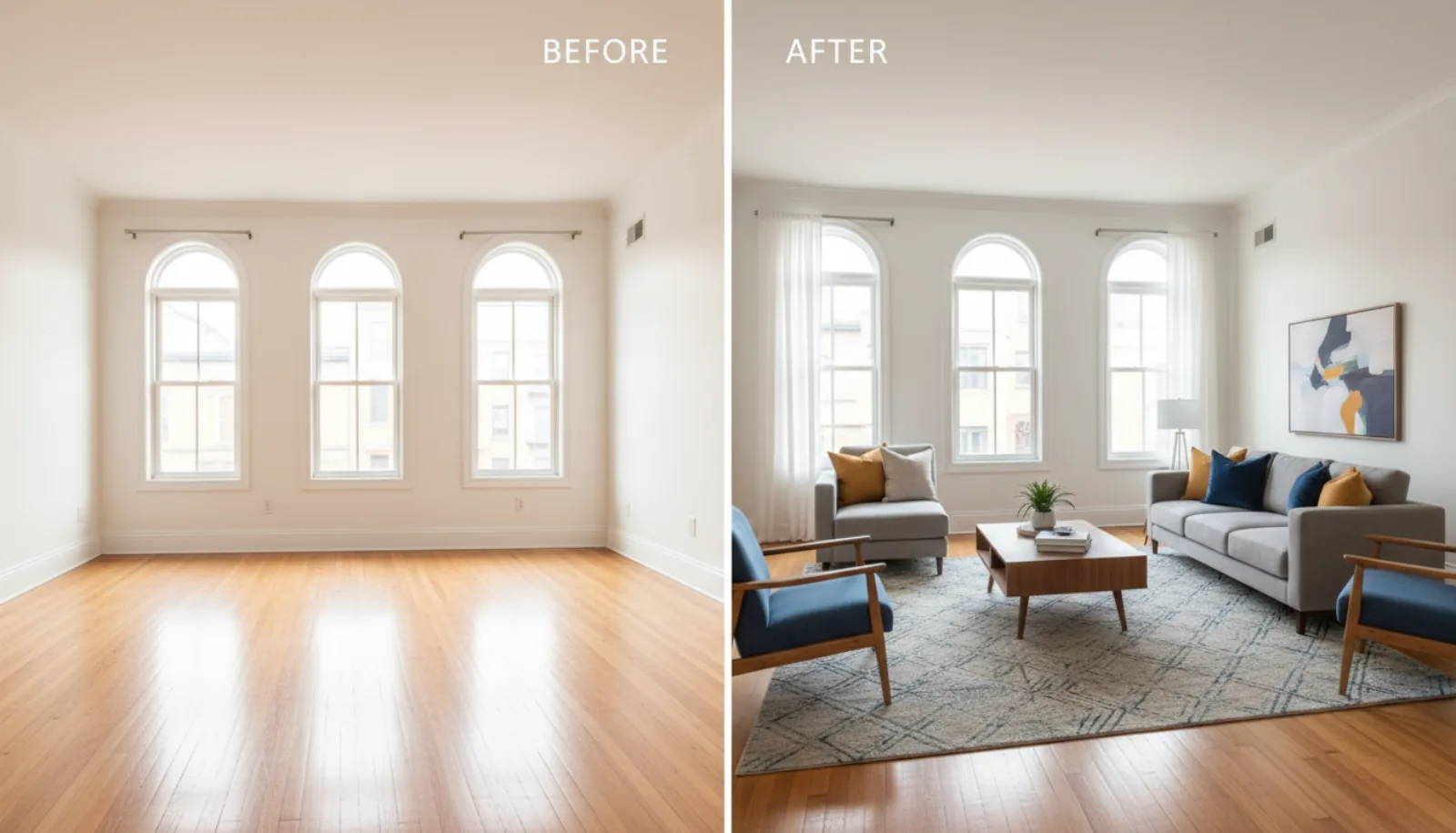
- Virtual Staging: Fill an empty room with beautiful, photorealistic furniture in seconds. This helps potential buyers immediately see themselves living in the space.
- Intelligent Decluttering: Erase distracting items from a room with a single click. You get a clean, attractive space without spending ages on manual clone-stamping.
- AI Lighting Correction: This is a huge one. It automatically balances the exposure, so the view out a bright window is just as clear as the details in a darker corner of the room.
These aren’t just fancy extras for still photos anymore; they are essential for creating virtual tours that grab attention and help close deals. To see how different platforms stack up, check out our guide to the best 360 virtual tour software on the market. By adding AI to your workflow, you can create higher-quality tours in less time, giving you a real advantage.
Finding the Right Camera for Your Budget and Needs
Alright, we’ve covered the technical specs and shooting techniques. Now for the most important part: matching that knowledge to your actual business needs and budget. When looking at cameras for 360 degree virtual tours, the best choice always comes down to a simple trade-off between speed, quality, and cost. Let’s break down who should buy what.
Matching the Camera to the Professional
Think about your primary role. Are you a busy real estate agent, a professional photographer, or a property manager? The answer will point you directly to the right type of gear.
For most real estate agents, efficiency is the name of the game. You need to get in, capture a property quickly, and get the tour online. A dependable one-shot 360 camera is your best friend here. These are built for a simple “point-and-shoot” workflow that lets you capture a whole house in under an hour, with no complex editing slowing you down.
A dedicated real estate photographer, on the other hand, is selling premium image quality. Your clients expect stunning, magazine-worthy visuals. This is where investing in a pro-level one-shot camera or even a full DSLR panoramic rig makes sense. The superior resolution and editing control allow you to create high-end tours that command a higher price.
Finally, there are the property managers who are juggling a huge portfolio of listings. You need a workhorse. A solid, mid-range 360 camera is the perfect sweet spot. It gives you the robust features and reliability you need for frequent use across dozens of properties, but without the high-end price tag.
The decision tree below maps out how your workflow can change after the capture, especially when considering post-production.

As you can see, using an AI-powered service like BrightShot creates a much more direct path to a finished virtual tour, bypassing the time-consuming steps of manual editing.
To help you visualize this better, here’s a quick summary of which camera type fits different real estate professionals.
Camera Recommendations by User Profile
| User Profile | Recommended Camera Type | Key Strengths | Budget Range |
|---|---|---|---|
| Busy Real Estate Agent | One-Shot 360 Camera | Speed, ease of use, great value | $300 - $1,000 |
| Pro Photographer | Pro-Level 360 or DSLR Rig | Maximum image quality, full creative control | $1,000 - $5,000+ |
| Property Manager | Mid-Range 360 Camera | Durability, reliability, good feature set | $500 - $1,500 |
Ultimately, choosing a camera is about finding the tool that best supports your business goals, whether that’s listing more properties faster or delivering an ultra-premium product.
Investing in virtual tour technology isn’t just a trend—it’s a proven way to get listings sold. Properties with 360 virtual tours see 49% more email inquiries from potential buyers and can speed up the sales cycle by as much as 20%. It’s a powerful tool for reaching a broader audience and closing deals faster. You can discover more market insights from Technavio to see the full industry impact.
Common Questions Answered
Alright, let’s tackle a few of the most common questions that pop up when photographers and agents are gearing up to shoot their own virtual tours. Getting these cleared up will help you invest in the right equipment from the start.
What’s the Real Minimum Resolution I Need for a Pro Tour?
For professional real estate tours, you really want to aim for 8K resolution as your baseline. It might sound like overkill, but it’s all about the zoom.
Potential buyers will zoom in on the images to inspect details like kitchen countertops, flooring, and light fixtures. Anything less than 8K starts to look pixelated and blurry on modern screens, which can cheapen the feel of the entire tour and, by extension, the property itself.
Think of 8K resolution as your insurance policy against a bad first impression. It guarantees that the finest details of a home remain sharp and impressive, giving buyers the confidence to truly explore the space from their screen.
Can I Just Use My Smartphone to Create 360 Tours?
Technically, yes. Modern smartphones have impressive cameras, and some apps like Pano to 360 can stitch a panoramic photo into a sphere. For a quick experiment or a very informal look at a space, it can work.
However, when you’re marketing a property, quality is everything. A dedicated 360 camera will always deliver a far superior result. You’ll get better image clarity, more accurate colors, and a much cleaner stitch that holds up when a discerning buyer is looking closely. It’s a worthwhile investment for a professional-grade product.
How Big of a Deal Is HDR for Real Estate?
High Dynamic Range (HDR) isn’t just a nice feature—it’s absolutely essential for shooting interiors. Almost every room presents a lighting challenge: you have bright, beautiful light pouring through a window right next to a darker, shadowy corner.
Without a strong HDR function, your camera is forced to choose. You either get a perfectly exposed room with completely blown-out, white windows, or you get a lovely view outside while the room itself looks dark and uninviting.
HDR solves this by taking multiple photos at different exposures and blending them together. The result is one perfectly balanced image where you can see the gorgeous view and all the details inside the room. It’s the key to creating those bright, natural, and welcoming photos that make buyers fall in love with a home.
Ready to turn those stunning 360° captures into a polished, interactive sales tool? BrightShot uses AI to instantly add virtual staging, correct lighting, and create cinematic video walkthroughs from your photos. Try it for free and transform your real estate marketing today!