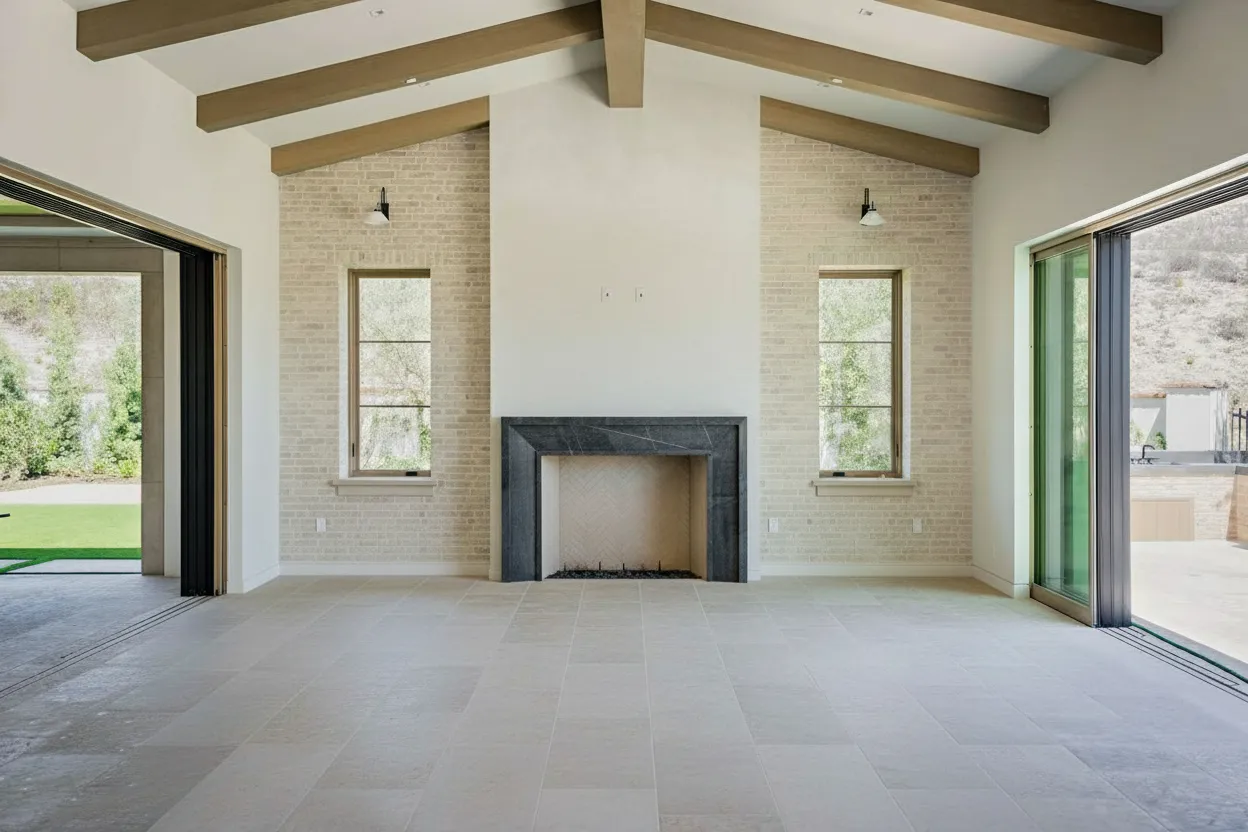
Virtual staging for realtors has become essential in modern real estate marketing. With 97% of home buyers starting their search online, the quality of your listing photos directly impacts how fast—and for how much—a property sells.
This guide covers everything real estate agents need to know about virtual staging: why it works, how to do it effectively, and which tools deliver the best results.
Why Virtual Staging Works for Realtors
The data is clear:
- 73% faster sales for staged properties (NAR Research)
- 6-10% higher sale prices compared to unstaged homes (Coldwell Banker)
- 40% more online views on staged listing photos
- 81% of buyers say staging helps them visualize living in a home
Virtual vs. Traditional Staging
| Aspect | Virtual Staging | Traditional Staging |
|---|---|---|
| Cost | €0.11-5/image | $1,000-5,000/property |
| Time to Stage | 15-60 seconds | 1-3 days |
| Flexibility | Change styles instantly | Fixed until removed |
| Empty Properties | Perfect solution | Expensive to furnish |
| Occupied Properties | Remove & restage digitally | Must work around furniture |
| Storage/Logistics | None | Furniture rental, movers |
How to Virtually Stage Listings: Step by Step
Step 1: Prepare the Property
Before photographing:
- Clean all rooms thoroughly
- Remove personal items (even if removing digitally later)
- Open blinds and curtains for natural light
- Turn on all lights
- Shoot from corners for maximum room visibility
Step 2: Take Quality Photos
For best AI staging results:
- Use a wide-angle lens (16-24mm)
- Keep camera level (straight verticals)
- Shoot during daylight hours
- Capture 2-3 angles per room
- Include empty shots for vacant properties
Step 3: Choose What to Stage
Prioritize these rooms:
- Living room - First impression, most viewed
- Master bedroom - Emotional purchase driver
- Kitchen - High-impact selling point
- Dining room - Shows lifestyle potential
- Additional bedroom - Important for families
Step 4: Select Your Style
Match staging style to target buyers:
| Target Buyer | Recommended Styles |
|---|---|
| First-time buyers | Modern, Scandinavian |
| Young families | Transitional, Coastal |
| Professionals | Modern, Minimalist |
| Retirees | Traditional, Classic |
| Investors | Modern, Neutral |
| Luxury buyers | Contemporary, Custom |
Step 5: Upload and Stage
With BrightShot:
- Upload your empty room photo
- Select “Virtual Staging”
- Choose room type (bedroom, living room, etc.)
- Select design style
- Download staged image in 30 seconds
Best Virtual Staging Tools for Realtors
| Tool | Best For | Price | Key Features |
|---|---|---|---|
| BrightShot | Most realtors | €0.11/image | Staging + removal + videos + enhancement |
| Virtual Staging AI | High-volume agents | $0.53-2.67/image | 30+ styles, fast processing |
| BoxBrownie | Quality-focused | $24/image | Human quality control |
| Styldod | MLS integration | $15-25/image | Direct portal upload |
Why BrightShot is Best for Realtors
- Lowest cost at €0.11/image
- All-in-one platform - staging, removal, enhancement, video
- Pay-as-you-go option - no monthly commitment
- Fast results - 15-45 second turnaround
- MLS compliant - ready to upload to any portal
Virtual Staging Best Practices
DO:
✅ Stage empty rooms—they look bigger and more inviting ✅ Use consistent styles across all rooms in a listing ✅ Disclose that images are virtually staged ✅ Include at least one unstaged photo for reference ✅ Match staging style to neighborhood demographics ✅ Stage outdoor spaces too (patios, balconies)
DON’T:
❌ Over-stage with too much furniture ❌ Use different styles in connected rooms ❌ Hide structural issues with staging ❌ Stage rooms unrealistically (king bed in tiny room) ❌ Forget to check furniture scale and perspective
Handling Disclosure Requirements
Virtual staging disclosure varies by state and MLS. Best practices:
- Add watermark - “Virtually Staged” on staged images
- Note in description - “Furniture shown is virtual staging”
- Include empty photos - Show actual condition alongside staged
- Check local rules - California requires disclosure; other states vary
BrightShot allows optional watermarks and provides MLS-compliant image formats.
ROI Calculator: Virtual Staging Value
Example: $400,000 listing
| Scenario | Days on Market | Sale Price | Net to Seller |
|---|---|---|---|
| Unstaged | 90 days | $385,000 | $381,150* |
| Virtually Staged | 30 days | $400,000 | $396,000* |
| Difference | 60 days faster | +$15,000 | +$14,850 |
*After 3.5% commission
Cost of virtual staging: €5-50 total Return on investment: 300x-3,000x
Getting Started
Start Virtual Staging Today
Join 5,000+ realtors using BrightShot to sell properties faster. Stage your first room free.
Try Free StagingQuick Start Checklist
- ☐ Take photos of your next vacant listing
- ☐ Create free BrightShot account
- ☐ Stage living room and master bedroom
- ☐ Compare staged vs. unstaged photos
- ☐ Upload to MLS with proper disclosure
- ☐ Track days on market and buyer interest
Virtual staging is no longer optional for successful realtors. At €0.11 per image, there’s no reason not to stage every vacant listing. Start with BrightShot and see the difference in your next listing.