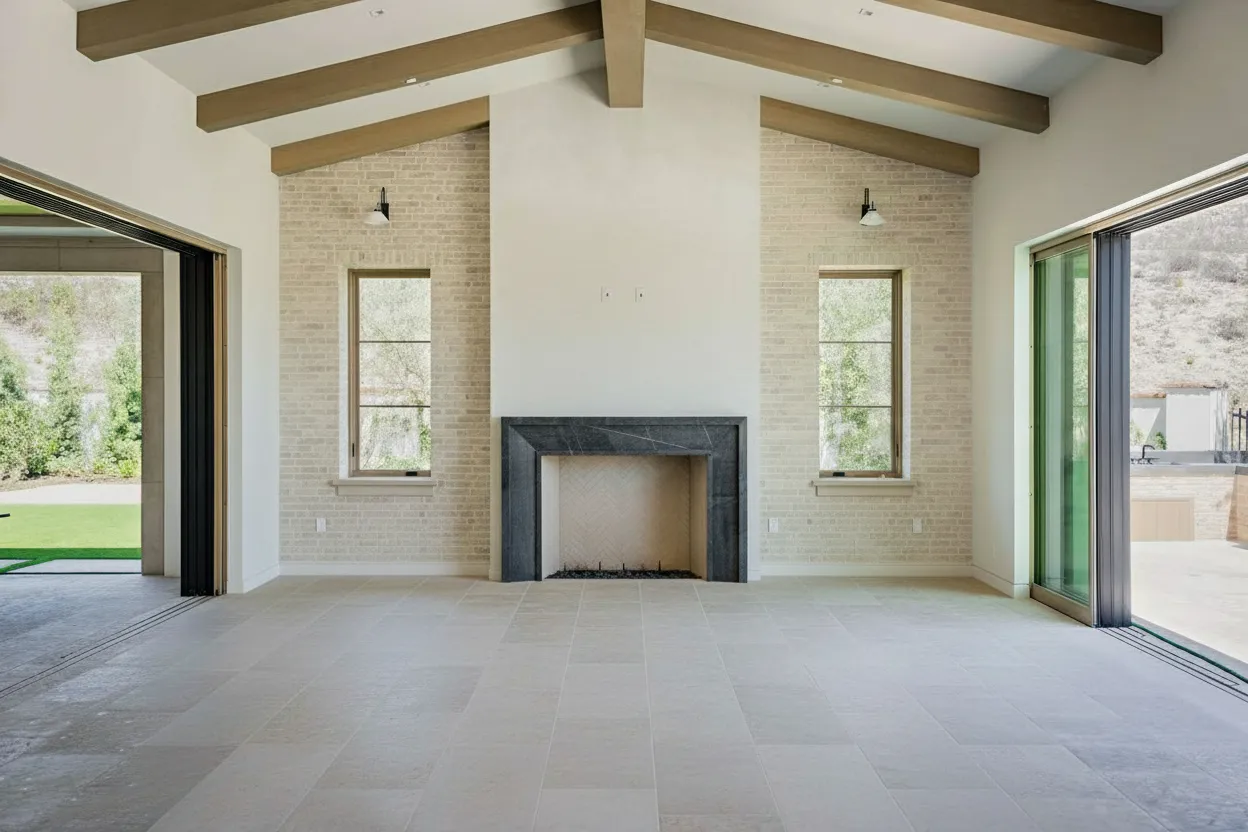
Vacant homes are hard to sell. Empty rooms look smaller, colder, and harder for buyers to imagine living in. But traditional staging costs $1,000-5,000 per property and takes days to set up.
AI vacant home staging solves this problem by filling empty rooms with photorealistic furniture in seconds—at a fraction of the cost.
Why Vacant Homes Need Staging
The statistics are striking:
- Empty homes sell for 3-5% less than comparable staged homes
- Vacant properties sit 30-50% longer on the market
- Only 10% of buyers can visualize a room’s potential when empty
- 81% of buyers say staging helps them decide faster
Empty rooms look smaller, feel colder, and fail to create the emotional connection that drives offers.
How AI Vacant Home Staging Works
The AI Process (30 Seconds)
- Upload - Add your empty room photo
- Analyze - AI detects walls, floors, windows, dimensions
- Design - AI selects furniture appropriate for room size
- Render - Photorealistic furniture is placed with accurate shadows
- Download - Get your staged image ready for MLS
What Makes AI Staging Photorealistic
Modern AI staging uses:
- 3D furniture models - Not flat images, actual 3D objects
- Lighting analysis - Shadows match room lighting direction
- Perspective matching - Furniture angles match camera angle
- Scale detection - Furniture sized appropriately for room
- Style coherence - All pieces match selected design theme
AI Staging vs. Traditional Options
| Option | Cost | Time | Quality | Best For |
|---|---|---|---|---|
| AI Staging (BrightShot) | €0.11/image | 30 seconds | Excellent | Most vacant homes |
| Human Virtual Staging | $20-50/image | 24-48 hours | Excellent | High-end customization |
| Physical Staging | $1,000-5,000 | 2-5 days | Best | Luxury, model homes |
| No Staging | $0 | None | Poor | Never recommended |
Best AI Tools for Vacant Home Staging
1. BrightShot (Best Value)
- Cost: €0.11/image
- Speed: 30-45 seconds
- Styles: 15+ curated options
- Extras: Lighting enhancement, video tours, window views
- Best for: Agents wanting all-in-one solution
2. Virtual Staging AI
- Cost: $2.67/image (starter plan)
- Speed: 15 seconds
- Styles: 30+ options
- Extras: Multi-view staging
- Best for: Agents wanting maximum style options
3. Collov AI
- Cost: Free tier available, $0.17/image paid
- Speed: 30 seconds
- Styles: 20+ options
- Extras: Basic photo enhancement
- Best for: Testing AI staging
Room-by-Room Staging Guide
Living Room
- Priority: High (most important room)
- Essential furniture: Sofa, coffee table, rug, accent chairs
- Style tip: Keep paths clear, face seating toward focal point
Master Bedroom
- Priority: High (emotional purchase driver)
- Essential furniture: Bed with bedding, nightstands, lamps
- Style tip: Use king bed in large rooms, queen in standard
Kitchen
- Priority: High (key selling feature)
- Essential staging: Counter accessories, bar stools if applicable
- Style tip: Add warmth with fruit bowl, plants, minimal decor
Dining Room
- Priority: Medium (lifestyle room)
- Essential furniture: Table, chairs, centerpiece
- Style tip: Match chairs to table size (4-6-8 depending on space)
Secondary Bedroom
- Priority: Medium (important for families)
- Essential furniture: Bed, desk OR second bed setup
- Style tip: Show function flexibility (guest room, office, nursery)
Home Office
- Priority: Medium-High (post-2020 essential)
- Essential furniture: Desk, chair, shelving
- Style tip: Show professional work-from-home potential
Getting Best Results from AI Staging
Photo Tips
- Lighting: Shoot during daylight, all lights on
- Angle: From corner for maximum room visibility
- Height: Camera at chest height
- Clear: Remove any remaining items first
Style Selection
- Modern: Clean lines, neutral colors—works for most properties
- Scandinavian: Light, airy—perfect for smaller spaces
- Traditional: Classic furniture—established neighborhoods
- Coastal: Beach vibes—waterfront or warm climates
- Industrial: Urban edge—lofts and converted spaces
Common Mistakes to Avoid
❌ Too much furniture (makes rooms look smaller) ❌ Wrong scale (oversized furniture in small rooms) ❌ Mismatched styles (different looks in connected rooms) ❌ Ignoring room function (living room furniture in bedroom)
Disclosure and Compliance
Virtual staging disclosure requirements vary:
- Always: Add “Virtually Staged” watermark or note
- California: Disclosure required by law (Jan 2026)
- MLS rules: Most require clear labeling
- Best practice: Include at least one unstaged photo
BrightShot provides optional watermarks and MLS-compliant export settings.
Stage Your Vacant Listing Now
Transform empty rooms into move-in ready spaces in 30 seconds. First staging free.
Start FreeReal Estate Agent Success Stories
“I had a vacant condo sit for 4 months with no offers. After AI staging with BrightShot, I got 3 offers in the first week. Total cost: €2.50.” — Maria R., San Diego Realtor
“AI staging cut my average days on market from 45 to 18 for vacant properties. It’s now standard for every empty listing.” — James T., Austin Real Estate Team
Start Staging Today
Vacant homes without staging are leaving money on the table. At €0.11 per image, AI staging is the highest-ROI investment you can make on a listing.
Next steps:
- Create free BrightShot account
- Upload empty room photos
- Select style and stage
- Download and upload to MLS
- Watch inquiries increase
Don’t let empty rooms hurt your listings. Try AI vacant home staging free and see the transformation in 30 seconds.