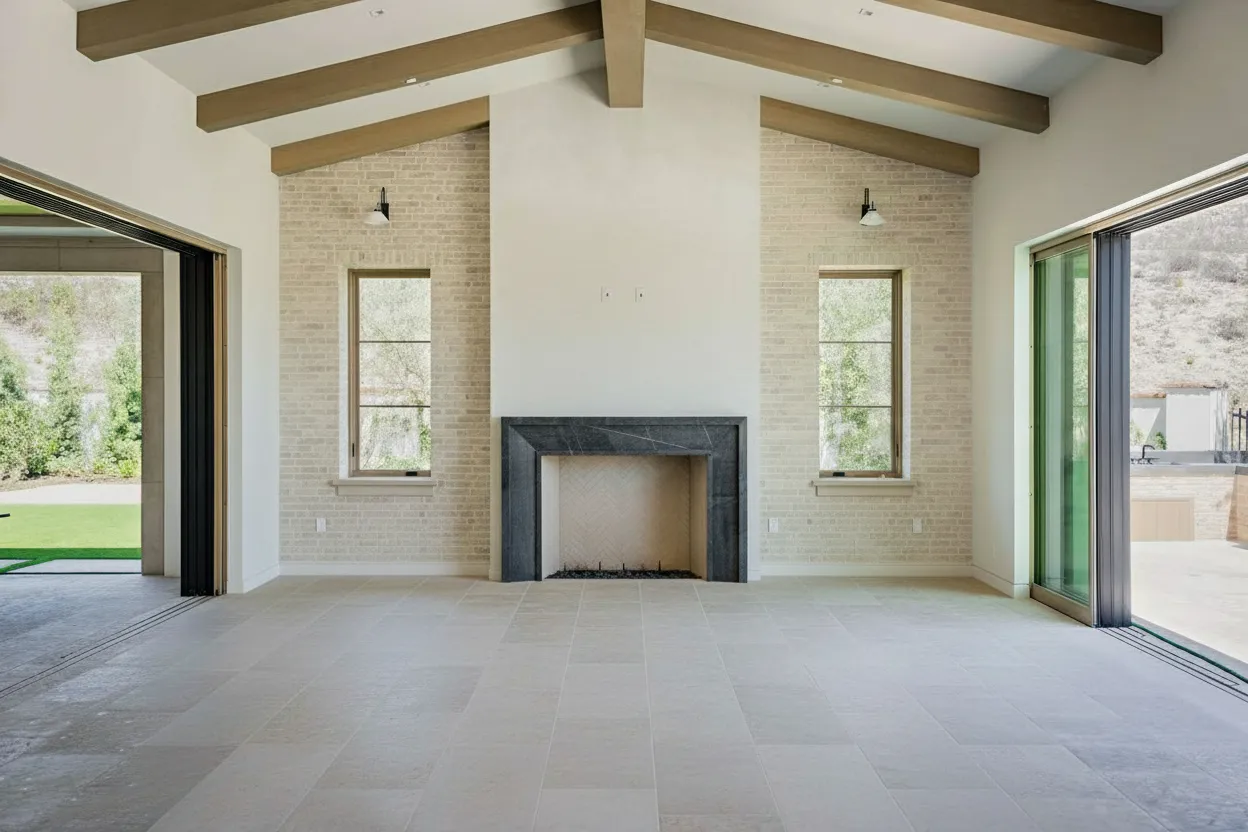
Real estate video editing is about so much more than just splicing a few clips together. It’s the art of turning raw footage from a property into a compelling story. Done right, you’re not just showing a house; you’re selling a lifestyle, an emotion. This is what transforms a simple walkthrough into a cinematic tour that stops buyers in their tracks.
Why Pro Video Editing Is No Longer Optional
In a market flooded with beautiful, high-end photography, professional video has become the single most powerful way for agents to stand out. It’s not a luxury item anymore—it’s a fundamental part of a winning marketing strategy that directly impacts your leads, client trust, and how quickly you close a deal. Buyer and seller expectations have shifted, making solid video editing a non-negotiable skill.

The Data Behind the Demand
The numbers don’t lie. When we look at real-world performance, the impact of video is staggering. Listings that include a video get a massive 403% more inquiries than listings that don’t. That statistic alone should be enough to grab your attention.
It’s no wonder that 73% of homeowners say they are more likely to list with an agent who uses video. The standard has been set, and 85% of sellers now expect video to be part of the marketing plan for their home. If you want to dive deeper, you can explore more data on the video software market to see just how big this trend has become.
I saw this shift happen in real-time. When virtual tours became essential, agents who quickly adopted walkthrough videos saw their phones ringing off the hook. It set a new benchmark, and the industry has never looked back.
Let’s break down why this matters for your business.
Video Marketing Impact at a Glance
The statistics clearly show how video marketing translates directly into better business outcomes for real estate professionals.
| Metric | Impact |
|---|---|
| Listing Inquiries | Listings with video receive 403% more inquiries. |
| Seller Preference | 73% of homeowners prefer to list with agents who use video. |
| Seller Expectation | 85% of sellers now consider video a standard marketing service. |
| Buyer Confidence | Videos can increase a buyer’s confidence by 28%. |
These figures aren’t just abstract numbers; they represent more leads, more listings, and a stronger brand.
Meeting Modern Seller and Buyer Expectations
Sellers want to feel proud of how their home is presented. A polished, professional video shows them you’re serious about getting top dollar, which is a huge factor in winning the listing in the first place.
For buyers, a video provides something photos simply can’t: a true sense of a home’s layout, flow, and atmosphere. It’s one thing to see a picture of a kitchen; it’s another to see a smooth video gliding from the island to the breakfast nook and out to the patio. It helps a buyer’s confidence jump by an estimated 28%, letting them emotionally connect and picture their life there before they even step foot inside.
The goal of great real estate video editing isn’t just to show rooms; it’s to tell a story. It’s about creating an experience that makes a potential buyer feel like they’re already home.
Making High-Quality Video Accessible
Here’s the good news: you don’t need a Hollywood production crew or a degree in film to create stunning property videos. The rise of intuitive editing software and new AI-powered tools has made professional results accessible to any agent willing to learn the ropes.
For example, platforms like BrightShot can now take your professional photos and automatically generate a cinematic video tour. This is a game-changer for agents who have a great photographer but don’t have the time or budget for a full-day video shoot.
These modern tools take care of the technical headaches:
- Smart Scene Selection: The AI analyzes your footage or photos and picks the best shots to feature.
- Automated Camera Motion: It adds smooth, realistic pans, tilts, and zooms to static images, bringing them to life.
- Instant Branding: Your logo, contact details, and property information are automatically added as professional overlays.
This guide is designed to walk you through it all. We’ll cover everything from planning the shoot to the final export, giving you the skills to make real estate video editing a powerful and profitable part of your business.
Planning and Shooting for a Seamless Edit
I’ve seen it a thousand times: agents spend hours wrestling with editing software, trying to salvage a video that was doomed from the start. The truth is, a great real estate video isn’t made in the edit—it’s made on-site, before you even hit record.
Think of yourself as an editor while you’re still behind the camera. Every decision you make during the shoot will either save you time or cost you time later. Get the planning and filming right, and the editing process becomes faster, simpler, and honestly, a lot more fun.
The Right Gear for the Job
Let’s clear something up: you don’t need a massive budget to produce professional-looking video. The high-end smartphone in your pocket, whether it’s a recent iPhone or Samsung Galaxy, shoots incredible 4K video that’s more than enough for property tours. Their biggest win is convenience without sacrificing quality.
When you’re ready to level up, a mirrorless camera like a Sony ZV-E10 or a Canon EOS M50 Mark II gives you a ton more creative freedom. You’ll get better performance in tricky lighting and can swap lenses for that creamy, cinematic background blur, all without breaking the bank.
No matter what camera you use, stability is everything. Shaky footage is the #1 rookie mistake, and it’s almost impossible to fix completely. A gimbal for your phone or a sturdy tripod for your camera isn’t just a nice-to-have; it’s a mandatory piece of kit.
Creating a Narrative with a Shot List
Just walking into a house and hitting record is a recipe for a chaotic, confusing video. You need a plan. A shot list is your roadmap, guiding the viewer through the home just like you would on an in-person tour. It’s the blueprint for the story you’re about to tell.
Here are the must-have shots that should be on every list:
- Establishing Shot: Kick things off with a wide shot of the exterior. This sets the stage. If you can get a drone in the air, this is the perfect place to use that footage. Our guide on aerial photography for real estate has some great pointers for this.
- The Entry: Make a moment out of walking through the front door. This single shot is a powerful transition from the outside world to the home’s interior.
- Room Reveals: Use slow, smooth pans to introduce each key space—the living room, kitchen, primary suite. I like to start the pan on a standout feature, like a grand fireplace or a window with a killer view.
- Detail Shots: This is where you add that feeling of luxury. Get close-ups of the high-end appliances, the custom backsplash, or the unique light fixtures. These little moments sell the quality.
- Connecting Shots: Don’t just jump from room to room. Film yourself walking down a hallway or through a doorway. These shots are the glue that holds the tour together and helps viewers mentally map out the floor plan.
For a full 2-3 minute cinematic tour, you’ll need a healthy mix of all these. But for a punchy 30-second social media clip, you might just grab the three or four most impactful “wow” moments from your list.
Filming Techniques for Easier Editing
The way you shoot has a direct impact on your editing workflow. A few smart habits on-site can literally save you hours of headache later.
Shoot in a Logical Sequence Film the property in the same order a buyer would naturally walk through it. I always start at the curb, move through the front door, cover the main living areas and kitchen, head to the bedrooms, and finish in the backyard. When you dump the footage on your computer, your clips are already 90% of the way to a finished timeline.
Hold Your Shots Longer Than You Think This is a game-changer. Let the camera roll for an extra 3-5 seconds before and after your intended action. These “handles” give you so much flexibility for trimming and adding smooth transitions. There’s nothing more frustrating than realizing a great shot is unusable because you cut it off too soon.
Mastering Light and Staging Natural light is your best asset. Always try to schedule shoots for when the home is at its brightest, which is usually midday. Throw open every blind and curtain. Then, turn on every single light inside—lamps, overheads, under-cabinet lighting. This creates a bright, warm, and layered look that feels incredibly inviting.
Before you roll in any room, do a quick “de-clutter pass”:
- Hide personal photos, fridge magnets, and stacks of mail.
- Fluff the pillows and straighten the comforter.
- Give countertops and mirrors a quick wipe-down.
These tiny details make a huge impact. A clean, well-lit space captured in-camera means you spend less time on tedious fixes in the real estate video editing phase and more time on the creative storytelling that actually sells the home.
The Core Real Estate Video Editing Workflow
So, you’ve wrapped the shoot and all your footage is safely on your computer. This is where the magic really happens. We’re about to take those raw clips and weave them into a compelling story that doesn’t just show a house, but sells a lifestyle. This process—the core of real estate video editing—is less about flashy effects and more about thoughtful assembly, careful refinement, and a professional polish.
It’s a great time to be in this space. The video editing software market is absolutely surging, projected to grow from $2.68 billion in 2026 to $3.41 billion by 2030, and a lot of that is driven by real estate needs and new AI tools. It’s clear that video is no longer a “nice to have,” but a critical marketing component.
Get Organized Before You Do Anything Else
I can’t stress this enough: organization is the one habit that separates the pros from everyone else. Before you make a single cut, set up your project for success. A chaotic project folder is a surefire way to lose files, waste hours, and end up completely frustrated.
Start by creating a master folder for the property, like “123 Main Street Video.” Inside that, make these subfolders:
- Footage: Every single clip from your camera, drone, or phone goes in here. No exceptions.
- Audio: This is for your background music and any voiceover recordings.
- Graphics: Drop your logo, lower-third templates, and other branding assets in here.
- Project Files: This is where you’ll save the actual project file from whatever editing software you’re using.
This simple structure keeps everything tidy. When you import your media into your editor, it will reflect this organization, making your entire workflow cleaner and faster. Think of it as your digital mise en place.
Of course, the editing process is a whole lot easier when you’ve planned your shoot properly.

As you can see, a solid shot list, stable footage, and good lighting are the pillars of a smooth edit. Nailing these during the shoot means you’ll spend your time enhancing your video, not trying to fix it.
Assembling the Story on Your Timeline
Now for the fun part. Start building the basic narrative of your tour. Drag your clips onto the timeline in a logical sequence—think like a buyer walking through the home. Maybe you start with a sweeping exterior shot, move to the entryway, then the living room, kitchen, and so on. Don’t sweat the perfect timing just yet. This is your rough cut.
Next, play through the sequence and start trimming the fat. Chop off the shaky beginning of a clip, the moment you bumped the tripod, or any awkward pauses. You’re looking for the smoothest, most appealing part of each shot. This is exactly why you film a few extra seconds on either side of the action—it gives you the “handles” you need to make clean edits.
The best editing is invisible. The goal is to guide the viewer through the home so seamlessly they forget they’re watching a video. It should feel like a single, effortless journey.
Once your main clips are in order, you can fine-tune the pacing. Some shots, like a close-up of a high-end faucet, should be quick and punchy. Others, like a slow pan across a beautiful living room, need more time to breathe so the viewer can take it all in.
The Art of Color Correction and Grading
This is the step that separates a good video from a great one. It’s a two-part process: first we correct, then we grade.
Start by focusing on correction, which is the technical side of things. Your goal is to make the footage look clean and true to life.
- Fix Your White Balance: Interior lights can cast an unflattering yellow or blue hue on everything. Use your software’s white balance tools to neutralize the color and make the whites look genuinely white. It instantly makes a space feel cleaner and more modern.
- Adjust Exposure and Contrast: Footage straight out of the camera can sometimes look a bit flat. A slight boost to exposure and contrast will make the image pop. Just be careful not to crush your blacks or blow out your highlights—you want to retain all that beautiful detail.
With the technical fixes done, you can move on to grading, which is all about creating a mood. For real estate, you’re almost always aiming for a bright, airy, and inviting feel. A subtle bump in saturation can make the lawn look more lush or the sky a richer blue. To get a head start on good color, it helps to nail your camera settings on site; you can learn more in our guide on real estate photography camera settings.
Adding the Final Polish with Audio and Text
Great visuals are only half the battle; sound is the other half. Start by picking a background music track. You want something that’s positive but not distracting—think instrumental, ambient, or light corporate music. Keep the volume low. It’s there to support the video, not steal the show.
If you’re using a voiceover, ensure the audio is crisp and clear. Most editors have a feature that will automatically “duck” or lower the music volume whenever someone is speaking. Use it.
Finally, add your text overlays. These are non-negotiable for branding and providing key info. Every video needs:
- An intro graphic with the property address.
- Your logo and contact information in a clean lower-third.
- A call-to-action at the end, like “Schedule Your Private Tour.”
Stick to simple, elegant fonts that match your brand. Keep animations minimal—a gentle fade-in and fade-out is always a classier choice than a flashy spin. These final touches are what wrap everything up into a polished, professional marketing asset ready to capture buyer attention.
Using AI for Faster and Smarter Video Creation
Let’s be honest—the biggest roadblock to creating great real estate videos isn’t a lack of desire. It’s time. As an agent, your schedule is already packed, and the hours it takes to edit even a simple property tour can feel like a luxury you just don’t have.
This is exactly where Artificial Intelligence is changing the game. It’s no longer some far-off concept; it’s a practical tool that you can use right now to produce professional-quality videos quickly and efficiently. Think of AI as your personal editing assistant—it handles the tedious, repetitive work, freeing you up to focus on your clients and strategy. It’s all about working smarter to create more content that actually gets results.
And the results are compelling. Agents who are already using AI-powered video walkthroughs are seeing 2.4x more inquiries on their listings. With production costs dropping by as much as 91% compared to traditional methods, the financial sense it makes is impossible to ignore.
From Still Photos to Cinematic Tours
One of the most powerful things AI can do is turn your existing property photos into a dynamic, engaging video tour. You know the drill: you have a folder full of gorgeous, high-resolution stills from a photographer, but no video was shot on site. In the past, your only option was a clunky, outdated slideshow.
Not anymore. With a platform like BrightShot, the AI analyzes those still images and instantly generates a cinematic walkthrough. It intelligently adds the kind of realistic camera movements a professional videographer would use—think smooth pans across the living room, a gentle zoom into the kitchen island, and elegant tilts to show off high ceilings.
This technology breathes new life into your static photos. It creates an immersive experience that tells a story, guiding a potential buyer through the home’s layout and flow without you ever having to press “record.”
If you’re curious about the mechanics behind this, learning a bit about automatic video editing shows just how these systems automate what were once incredibly complex tasks.
Automation That Works for You
Beyond just turning photos into video, AI tools come packed with features specifically designed to slash your editing time. They take over the repetitive tasks with a speed and precision that’s simply not possible to achieve by hand.
Here are a few of the functions I’ve found most valuable:
- Intelligent Scene Recognition: The AI scans your footage or photos, picks out the best shots, and arranges them in a logical sequence. It builds a compelling narrative for you, automatically.
- Automated Day-to-Dusk Effects: This one is a game-changer. With a single click, you can transform a standard daytime exterior shot into a stunning twilight scene. It adds a high-end, luxury feel that used to require a separate evening shoot or some serious editing skills.
- AI-Generated Captions: So many people watch social media videos with the sound off, making captions a must-have. AI can instantly transcribe your voiceover or create descriptive text for each scene, making your videos more accessible and effective.
These automated features shrink your production time from hours down to just a few minutes. You can explore a detailed breakdown of how we put this to work in our AI Video Tours.
A Clear Advantage Over Manual Editing
To really understand the impact, it helps to see a direct comparison between the old way of doing things and the new AI-powered approach. Manual editing has a steep learning curve and is a major time sink, whereas modern AI platforms are built for speed and simplicity.
Here’s how they stack up.
Manual Editing vs AI-Powered Editing
| Feature | Manual Editing | AI-Powered Editing (e.g., BrightShot) |
|---|---|---|
| Video Creation | Requires shooting dedicated video footage, then hours of cutting and sequencing. | Instantly generates a video from existing photos or clips in seconds. |
| Skill Level | Requires proficiency in software like Premiere Pro or Final Cut Pro. | Intuitive, user-friendly interface designed for agents, not editors. |
| Turnaround Time | Can take hours or even days to produce a single polished video. | Delivers a finished, branded video in under a minute. |
| Cost | High cost if outsourced; high time cost if done in-house. | Low, predictable monthly cost for unlimited video creation. |
For agents who want to scale their video marketing without getting bogged down in the technical weeds, the path forward is clear. AI gives you a powerful way to create more content, market your listings faster, and ultimately, drive the business results you’re after.
Getting Your Video Out There for Maximum Reach

You’ve put in the work, and the edit is finally done. The video looks fantastic. But a beautiful video that nobody sees has zero impact on your bottom line. This final step is where the rubber meets the road—it’s all about mastering the technical details and distribution strategies that get your property in front of actual buyers.
Exporting your video isn’t just about hitting a button and walking away. It’s about tailoring the final file for every single place it’s going to live.
The technical specs that make a video shine on YouTube will make it look pixelated or fail to upload entirely to your local MLS. Getting these settings right from the get-go is the difference between a professional-looking video and one that’s plagued by poor quality and frustratingly long load times.
The Best Export Settings for Each Platform
To get this right, you’ll need to export a few different versions of your video. Think of it like this: you wouldn’t wear the same outfit to a black-tie event and a backyard barbecue. Your video needs to be dressed for the occasion.
A fantastic starting point for nearly any platform is the H.264 (MP4) codec. It gives you that perfect sweet spot between high quality and a manageable file size.
From there, you’ll want to create specific versions for:
- YouTube & Your Website: Go for the highest quality possible here. Export in 4K (3840x2160) or, at a minimum, 1080p (1920x1080). A variable bitrate between 10-15 Mbps for 1080p or 35-45 Mbps for 4K video will keep everything looking sharp, even on a big screen.
- Instagram Reels & TikTok: These are mobile-first, vertical platforms. You absolutely need to export in a 9:16 aspect ratio (1080x1920). A bitrate of about 8-10 Mbps is perfect for quick loading as users scroll through their feeds.
- Facebook Feed: Facebook is pretty flexible and handles landscape (16:9) and square (1:1) video well. I’ve found square videos often get more attention on mobile since they take up more screen real estate. Stick to a bitrate of 8-12 Mbps.
- MLS Listings: This is where it gets tricky. Every MLS seems to have its own quirky rules for file size, dimensions, and length. Always, always check their specific guidelines first. If you can’t find them, a 1080p export with a bitrate around 8-10 Mbps is usually a safe bet that won’t get rejected.
Pro Tip: Do yourself a huge favor and create export presets in your editing software. I have presets named “YouTube 4K,” “Instagram Reel,” and “MLS Standard” ready to go. It saves a ton of time and prevents you from having to remember all these numbers for every single project.
How to Write Titles and Descriptions That Actually Attract Buyers
Once you have your final video files, how you label them is just as important as the video itself. Your title and description are your best free SEO tools, helping buyers find your listing on Google and within platforms like YouTube.
Put yourself in a buyer’s shoes. What words would they type into a search bar? You need a mix of specific property details and broader, location-based keywords.
A lazy title like “123 Main Street” won’t cut it. A powerful, search-friendly title looks like this: “Luxury Home for Sale in Austin, TX | 123 Main Street | 4 Bed, 3 Bath with Pool”
See the difference? It immediately tells a buyer the property type, city, address, and standout features. Your description should then build on this foundation, painting a picture of the lifestyle the home offers. Weaving in these compelling details is a skill that translates directly from other marketing efforts, like virtual tours. If you want to dive deeper into that, our guide on creating virtual tours for real estate has some great strategies that apply here, too.
Repurpose Your Video to Dominate Social Media
Never let your main video tour be a one-and-done piece of content. That single cinematic video you spent hours on can be sliced and diced to fuel your social media channels for an entire week. This is how you get the maximum return on your time investment.
Here’s a simple workflow I use all the time:
- Create Teaser Clips: Pull out the three best “wow” moments from your main video. These are your money shots. Cut each one into a punchy 15-second vertical clip.
- Highlight a Key Feature: Dedicate a 30-second video to the home’s single best feature, whether it’s the gourmet kitchen or the stunning backyard oasis. Add some simple text overlays to call out the specifics.
- Make a “Highlights” Reel: Grab 5-7 of the quickest, most dynamic shots from your tour and edit them together in a fast-paced sequence. Set it to a trending audio track, and you have the perfect scroll-stopping content for Instagram and TikTok.
By repurposing your core video this way, you create a whole suite of marketing assets designed for different platforms and attention spans. It keeps your listing top-of-mind and turns that one-time editing effort into a machine that consistently generates leads.
Answering Your Top Questions on Real Estate Video
When agents first get into video, the same handful of questions always pop up. It’s totally normal to wonder about gear, timing, and what to focus on in the edit. Let’s clear up a few of the most common things I hear so you can start creating with confidence.
Believe it or not, the best camera to start with is probably the one you’re holding right now.
What’s the Best Camera to Use on a Budget?
You absolutely don’t need to drop thousands on a camera. The latest iPhone and Samsung Galaxy models shoot stunning 4K video that looks incredible online. Their real power is convenience—you always have it with you, and you already know how to use it.
The single most important piece of gear to buy is a gimbal. A DJI Osmo Mobile or similar stabilizer will run you about $100-$150, and it’s what gives you those buttery-smooth tracking shots that look truly professional.
If you are ready to upgrade, an entry-level mirrorless camera like a Sony ZV-E10 or Canon EOS M50 Mark II is a great next step. For under $1,000, you get much better low-light performance and the creative flexibility of interchangeable lenses.
How Long Should My Property Videos Be?
This is a big one, and the answer is always: it depends on the platform. You have to create for the context where your audience will be watching.
-
Main Listing Video (for YouTube or your site): The sweet spot is 2-3 minutes. This gives you enough time for a full cinematic tour that shows off the home’s flow and features without dragging on.
-
Social Media Clips (for Reels & TikTok): Think fast and punchy. Aim for 15-60 seconds. Grab the home’s “wow” moments—the stunning kitchen, the incredible view, the spa-like bathroom—and cut them together quickly.
-
Facebook Videos: You get a little more room to breathe here. A 60-90 second highlight reel works perfectly.
No matter the platform, your first 3-5 seconds are everything. Open with your absolute best shots to stop the scroll and hook your viewer immediately.
Can I Actually Make a Good Video from Still Photos?
Yes, and this is where AI has become a massive shortcut for busy agents. Modern tools designed for real estate can ingest your professional photos and create a surprisingly dynamic video. They do this by adding simulated camera movements—slow pans, tilts, and zooms—that bring static images to life.
An AI-powered system can sequence these new clips, apply clean transitions, and even add your branding and music automatically. This is a lifesaver when you only have photos to work with but need a video asset for your marketing campaign. It literally takes seconds.
What’s the Single Most Important Thing to Fix in Post-Production?
Assuming you filmed with a gimbal to avoid shaky footage, the two things you must fix in every video are color and lighting. Raw footage, especially of interiors, almost always looks a little dark, flat, or has a weird yellow or blue tint from the lights.
This is where you earn your money in the edit. Go into your software and adjust the brightness, boost the contrast, and correct the white balance. Your goal is to make the space look as bright, clean, and inviting on screen as it feels in person. This one step will instantly elevate your video from looking like a phone recording to a polished, professional marketing piece.
Ready to turn your photos into stunning cinematic tours without the learning curve? BrightShot uses AI to instantly generate professional, branded videos from your existing property images. See how it works and start creating today.