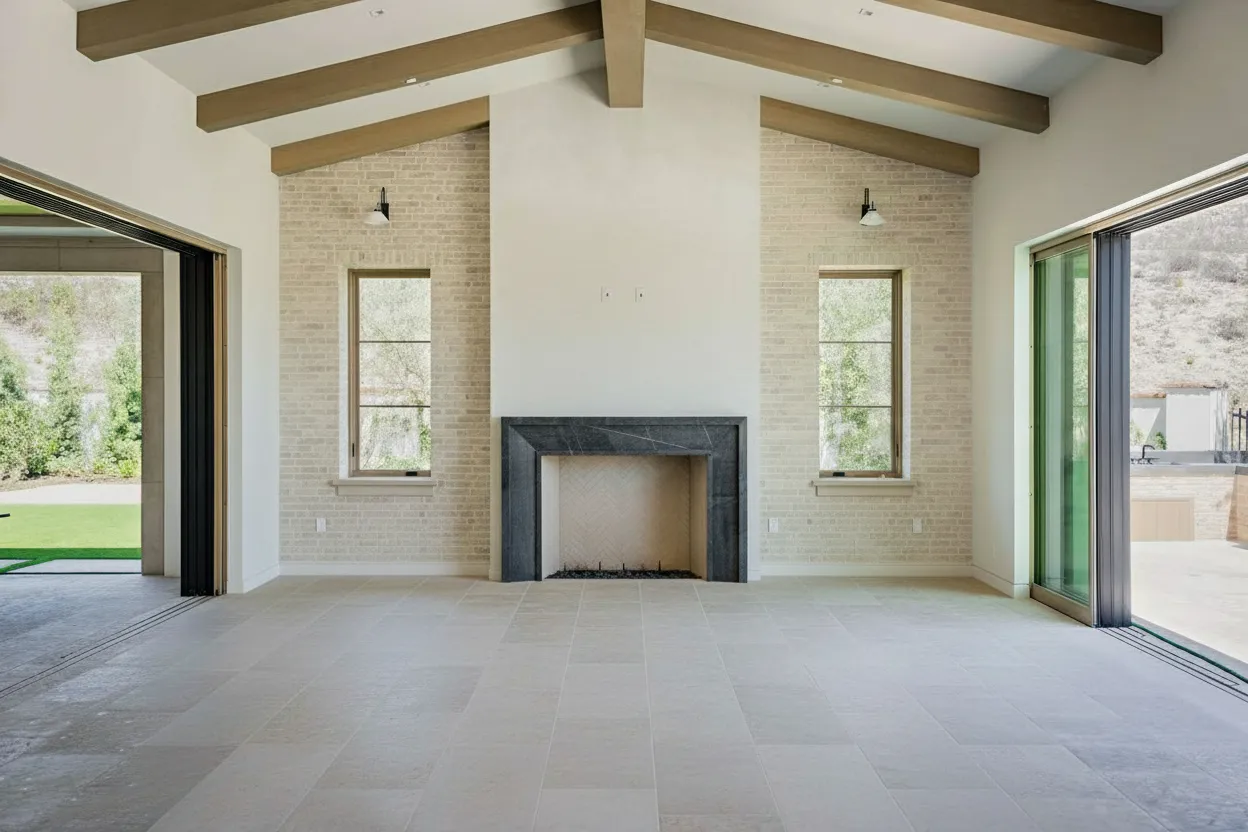
You have listings waiting, agents texting for revisions, and a seller who wants the living room to look brighter without spending the weekend moving furniture. That is the ultimate test for good rendering software in real estate. Not whether a tool can win an archviz award. Whether it can get a property live faster, make the space look credible, and avoid turning your workflow into a software project.
That matters more now because rendering is no longer a niche add-on. The broader visualization and 3D rendering software market was valued at USD 2.20 billion in 2022 and is projected to reach USD 17.38 billion by 2030, with cloud deployment accounting for over 77.7% of the market in 2022, according to Grand View Research’s visualization and 3D rendering market analysis. For anyone producing listing media, that shift is easy to recognize on the ground. More teams want browser-based tools, faster delivery, and fewer hardware headaches.
The catch is that most roundups mix together film tools, architectural visualization platforms, and AI image enhancers as if they solve the same problem. They do not. A brokerage trying to prep fifty listing photos this week should not evaluate software the same way as a studio building a luxury preconstruction fly-through.
That is the angle here. This is a working comparison of good rendering software for real estate people who care about speed, cost, image quality, and turnaround. Some of these tools are classic render engines. Some are real-time visualization platforms. Some are AI-first shortcuts that solve the marketing problem directly.
If video is part of your listing workflow too, pair this with these real estate video editor tools.
1. BrightShot

A listing goes live tomorrow morning. The agent wants the living room staged, the lawn cleaned up, the windows brighter, and a dusk version for social before 6 p.m. That job does not call for a full 3D pipeline. It calls for fast, usable output.
That is why BrightShot belongs at the top of this comparison for real estate teams. It starts with the asset you already have, the property photo, and turns it into marketing-ready variations without the modeling, material setup, lighting passes, and render management that come with traditional software.
For a brokerage, media company, or high-volume listing team, that difference matters. BrightShot covers the edits that stall delivery: virtual staging, decluttering, lighting correction, day-to-dusk conversion, sky and lawn replacement, perspective changes, and short-form marketing outputs. It also includes a large interior style library, 360° tour creation from stills, social post generation, and developer access through APIs and SDKs across common languages.
Why BrightShot earns a place ahead of classic renderers
The main advantage is turnaround. Traditional rendering tools ask for more setup because they are built to create scenes. BrightShot is built to improve listing media that already exists.
That makes the ROI easier to judge. If the goal is to help an agent publish faster, win more listings, or handle more properties per week without adding editors, an AI-first workflow often beats a renderer with better technical control but slower production.
I would use BrightShot first for photo-driven marketing work, especially when the team is dealing with repetitive requests across many properties. It also fits related deliverables such as rendered floor plan marketing workflows where speed and consistency matter more than custom scene building from scratch.
Trade-offs to know
BrightShot is not a replacement for a custom archviz stack on high-end preconstruction work. The primary limitation is control. You are optimizing existing images and generating marketing variations, not building a fully art-directed 3D scene with exact geometry, materials, and lighting behavior.
Use it when the priority is:
- Listing speed: Getting polished images out quickly without sending every file through a designer or 3D artist.
- Volume: Applying the same class of edits across many properties in a repeatable workflow.
- Operational efficiency: Using API access to automate common tasks inside a larger media pipeline.
Be more careful when the priority is:
- Strict visual accuracy: AI output still needs review for MLS compliance, disclosure rules, and factual representation.
- Premium unbuilt presentations: Developers selling future inventory may still need custom modeling and offline rendering for hero visuals.
Pricing is also easier to justify than many archviz tools because it maps to image volume, not to a specialist production process. There is a free trial, and the paid tiers are positioned more like a marketing operations tool than a traditional rendering suite. For busy real estate teams, that is the key point. BrightShot solves time-to-market first, then image quality to the level most listings need.
2. Chaos V-Ray

V-Ray is for the jobs where realism has to hold up under scrutiny. If a developer, architect, or luxury marketing team needs polished stills and controlled lighting, V-Ray remains one of the safest choices.
Its strength is not convenience. Its strength is control. You get physically based ray tracing, strong material handling, advanced lighting, and broad integration across 3ds Max, SketchUp, Rhino, Revit, Cinema 4D, and Maya. In practice, that means V-Ray can fit into existing AEC pipelines without forcing a team to rebuild everything around one renderer.
Where V-Ray earns the extra effort
The main reason real estate pros still use V-Ray is hero imagery. If the output needs to look like premium photography rather than “good enough for the listing,” V-Ray still has an edge over most real-time tools.
That matters for:
- Pre-sales marketing: Unbuilt properties, amenity spaces, and exterior hero shots.
- Design approvals: When stakeholders need accurate material and lighting studies.
- Cross-team collaboration: Particularly when architects, marketers, and visualization artists share files.
There is also a practical crossover into real estate marketing assets such as rendered floor plans, where V-Ray’s realism can help premium developments communicate layout and finish quality more effectively.
The cost you pay
The trade-off is time. V-Ray asks for technical competence, and it seldom feels fast when you are still iterating. That is fine for a visualization specialist. It is less fine for a listing coordinator who wants the bedroom decluttered by lunch.
Creative Bloq’s overview of rendering software places V-Ray in the CPU-based group that emphasizes photorealistic quality, while GPU-focused tools such as Octane prioritize speed and real-time feedback. The same piece also notes that cloud-based platforms can now deliver renders in about 10 seconds without local hardware in some workflows, showing how far the market has shifted toward faster iteration in other categories, as covered in Creative Bloq’s rendering software guide.
That is the key V-Ray decision. If quality is your bottleneck, use it. If turnaround is your bottleneck, it can feel heavy.
Website: Chaos V-Ray
3. Chaos Corona

Corona has consistently appealed to people who want beautiful interior visuals without wrestling the renderer every step of the way. For residential real estate, that matters. Interiors sell emotion. A renderer that gives soft, natural light and believable materials without a huge setup burden can save a lot of production pain.
Compared with V-Ray, Corona often feels more forgiving. You do not have to chase as many settings to get something attractive on screen. For interior mood shots, styled living areas, kitchens, and bedrooms, that simplicity is a distinct advantage.
Best fit for interior-heavy marketing
Corona is strong when the image needs warmth more than technical spectacle. Boutique developments, interior design presentations, and premium staged concepts all benefit from that look.
Its practical strengths include:
- Natural lighting: Good for daylight interiors and softer mood scenes.
- Approachable workflow: Helpful for designers who are not dedicated rendering specialists.
- Built-in post tools: Useful when you want to keep adjustment steps close to the render process.
If your marketing depends on emotionally persuasive interior imagery, Corona is one of the better examples of good rendering software that stays artist-friendly.
Corona is often the easier recommendation when a team wants “high-end interior visuals” but does not want to become a rendering lab.
Where it falls short
The limitations are clear too. Corona is less flexible on integrations than V-Ray, and it is not the tool for fast interactive reviews. If you need live walkthroughs, quick stakeholder sessions, or on-the-fly revisions, real-time platforms will feel more responsive.
For brokerages and photographers, that means Corona is often a specialist tool. It shines in the hands of a designer or archviz artist. It is less compelling as an everyday listing production platform.
Website: Chaos Corona
4. Enscape

Enscape wins on momentum. Open a model in Revit, SketchUp, Rhino, Archicad, or Vectorworks, and you can move from design file to presentable view quickly. That is why it remains popular with architects and design teams who need images and walkthroughs during the project, not after it.
For real estate use, Enscape makes the most sense when you already have a BIM or CAD model and want presentation-ready outputs without moving into a more technical rendering stack.
Why design teams like it
Enscape’s value is the live link. You change the model, the rendered view updates, and the conversation keeps moving. That is useful for client approvals, early design reviews, and quick property previews.
The best use cases are:
- Live walkthroughs: Strong for presentations and fast feedback sessions.
- Rapid still exports: Good enough quality for many approvals and mid-tier marketing jobs.
- Minimal training burden: Easier adoption inside existing CAD workflows.
In other words, Enscape is often better at keeping a project moving than at creating the single perfect marketing image.
Considering the trade-off
If you compare Enscape to an offline renderer on pure photorealism, it loses. That is not a flaw. It is a design choice.
Real estate teams should choose Enscape when speed of iteration matters more than final-pixel polish. For preconstruction sales centers, internal reviews, and design-led marketing support, it is a strong tool. For brochure-cover visuals, many teams still step up to V-Ray, Corona, or a custom post-production workflow.
Website: Enscape
5. Lumion

Lumion is the renderer people reach for when they need atmosphere fast. Trees, skies, weather, water, camera paths, context, motion. It is built for presentation, and it shows.
For real estate marketing, Lumion is particularly useful on exteriors and neighborhood-context visuals. If you want a development to feel alive before it exists, Lumion can get you there without forcing a full game-engine workflow.
What Lumion is good at
Lumion’s built-in content library does a lot of heavy lifting. That reduces the number of external assets you need to buy, manage, and troubleshoot.
It is particularly effective for:
- Exterior marketing scenes: Landscaping, weather, and environmental mood.
- Fly-throughs: Easy camera tools for cinematic movement.
- Fast presentation builds: Non-technical users can get respectable results quickly.
If your team moves between CAD output and visual marketing, Lumion offers one of the more approachable bridges. For AI-first alternatives, it is also worth seeing what a direct 3D to photo render workflow looks like when speed is the priority.
What can frustrate teams
Lumion asks for hardware, and it is Windows-only. Those two facts matter more than feature lists. A lot of software looks “easy” until the workstation starts choking under project files.
It can also feel a bit preset-driven. That is useful when you need speed, but less ideal when you need surgical control. So Lumion works best for teams who want strong visual impact with less technical overhead, particularly on exteriors and video.
Website: Lumion
6. Twinmotion
Twinmotion is what I often recommend to people who say, “I need something better than screenshots, but I do not want to learn Unreal.” That is its lane.
Built on Unreal Engine technology, Twinmotion gives you real-time rendering, decent built-in assets, panorama creation, video exports, and a workflow that feels friendlier than a full engine environment. For real estate, it is a practical middle ground between CAD-native visualization and more advanced immersive production.
Where it fits in a real estate stack
Twinmotion is a good match for architects, developers, and small visualization teams that need fast presentable output from existing models. It also pairs well with agents and marketers who want interactive presentations but do not have dedicated technical artists.
Good use cases include:
- Preconstruction presentations
- Interactive client reviews
- Quick stills and animated walkthroughs
It can also sit beside AI-first listing tools rather than replacing them. A lot of teams use one workflow for modeled spaces and another for edited property photography. If your main goal is furnished listing visuals from existing photos, dedicated real estate virtual staging software is often the more direct route.
The trade-off versus offline renderers
Twinmotion is quick to learn, but it does not match offline ray tracers for ultimate realism. That shows up most in material nuance, lighting subtlety, and close-up hero shots.
So the question is not whether Twinmotion is “better” than V-Ray. It is whether your job rewards speed and clarity more than perfection. In many real estate settings, it does.
Website: Twinmotion
7. D5 Render
D5 Render has become a serious contender because it aims right at the gap many teams feel. They want real-time speed, better visual quality than older lightweight tools, and less setup drama than a full engine pipeline.
It is GPU-accelerated, built for AEC workflows, and increasingly attractive for interiors, exteriors, and presentation animations. The interface is modern, the live-sync workflows are practical, and the built-in AI helpers reduce some of the repetitive work that slows teams down.
Why D5 feels current
One reason D5 stands out is that it matches where the market is going. Coverage of newer rendering workflows highlights GPU acceleration for cinematic graphics and stronger cloud collaboration, particularly in tools targeting design and marketing teams rather than solely specialist artists, as discussed in 7CGI’s overview of interior rendering software trends.
That is why D5 often feels more aligned with modern real estate marketing than older heavyweight software. You can produce stills, animations, and VR-oriented outputs without committing to a complex custom pipeline.
Its appeal comes from:
- Strong speed-to-quality ratio
- Large asset library
- Live-sync support across common CAD and DCC apps
- Built-in AI features for workflow shortcuts
Where to be careful
D5 still has a smaller ecosystem than Chaos or Unreal. That matters when you need niche integrations, unusual plugins, or a deep hiring pool of experienced operators.
It is also Windows-focused, so Mac-based teams need to verify fit before standardizing on it. Still, for many architecture and property marketing teams, D5 is one of the most balanced current options in the good rendering software category.
Website: D5 Render
8. Unreal Engine
Unreal Engine is not the easiest tool on this list, but it has the highest ceiling. If you need interactive sales experiences, custom configurators, pixel streaming, or high-end VR walkthroughs, nothing else here offers the same flexibility.
For real estate, Unreal is the platform behind the most ambitious experiences. Think branded presentation environments, interactive condo selectors, sales gallery installations, and immersive neighborhood previews.
What makes Unreal worth the trouble
Unreal’s advantage is not just rendering quality. It is what you can build around the render. You can package experiences, stream them, connect interactions, and deliver more than a video file.
That makes it the right choice for:
- Interactive walkthroughs
- VR and immersive sales suites
- Custom real estate experiences
- Multi-scene presentations with user controls
The learning curve is steep, though. Teams often underestimate the production overhead. Models need preparation. Materials need cleanup. Presentation logic takes time. So Unreal pays off only when the experience itself is part of the product.
Best for high-value projects
I would not recommend Unreal to a brokerage trying to improve next week’s listing photos. I would recommend it to a developer launching a major pre-sales campaign where immersive presentation changes buyer perception.
That distinction matters in every rendering decision. Good rendering software is not just about capability. It is about whether the workflow cost is justified by the deal size and marketing strategy.
Website: Unreal Engine
9. Blender
A common real estate scenario is simple. The team wants polished visuals, the budget is tight, and nobody wants another software subscription. Blender gets shortlisted fast for that reason.
It is free, flexible, and far more capable than many people expect. You get modeling, UVs, animation, compositing, video editing, and two rendering paths in one application. Cycles is the route for photoreal output. Eevee is useful for faster previews and lighter real-time presentation work.
That value comes with a staffing trade-off.
Blender works well when a freelancer, visualization artist, or in-house creative knows the tool and can maintain the workflow. It is less attractive for a sales-driven real estate team that needs repeatable output without much setup. Free software does not mean low operating cost if the learning curve slows production or creates inconsistent results across projects.
Where Blender earns its place
Blender is a strong fit for teams that want control and are willing to build around it. The upside is real:
- No licensing cost
- A full 3D pipeline in one application
- Quick look development with Eevee
- High-end image potential with Cycles
That combination makes Blender especially useful for small studios, independent artists, and internal marketing teams with a dedicated 3D generalist. If you need custom scenes, unusual furniture layouts, or one-off branding treatments, Blender gives you room to shape the process instead of working inside someone else’s template.
Where it loses ground on ROI
For busy real estate operators, the question is rarely whether Blender can produce a beautiful image. It can. The better question is whether it gets the asset out fast enough to support the listing, launch, or pre-sales campaign.
Blender asks for more hands-on management than tools built around speed to delivery. Asset libraries need organization. Materials often need cleanup. Add-ons can improve the workflow, but they also add another layer to maintain. Compared with modern AI-enhancement platforms that help marketing teams turn rough visuals into polished campaign assets faster, Blender usually wins on control and loses on time-to-market.
That is why I would use Blender for a team building long-term visualization capability, not for an agent who needs market-ready images later that day.
Website: Blender
10. OTOY OctaneRender
OctaneRender is the speed-first photorealism option for people who have the GPU hardware to feed it. It is known for beautiful light transport, crisp glossy surfaces, and fast multi-GPU rendering in the right setup.
For real estate, Octane makes the most sense in visualization studios or media teams already comfortable with GPU-based rendering. It is less of a generalist recommendation than V-Ray or Twinmotion, but in experienced hands it can produce excellent interiors, exteriors, and motion work.
Where Octane shines
Octane is strong when you want high-end imagery and fast feedback from a GPU-heavy machine. It is particularly attractive for:
- Glossy interior scenes
- Motion graphics and animated property visuals
- Studios using multi-GPU workstations
- Cloud GPU workflows
The broader market shift supports that direction. Market analysis projects the cloud rendering software market will reach USD 16.75 billion by 2034, with projected growth at a 17.5% CAGR, and notes that more than 60% of enterprises favor public cloud deployments for scalability and cost-effectiveness, according to Market.us research on cloud rendering software.
The trade-off
Octane is not forgiving if your hardware is weak or mismatched. Platform differences matter. Noise management matters. Settings discipline matters.
That is why I see Octane as a strong specialist choice, not the default answer for good rendering software in real estate. If you already understand GPU rendering, it can be excellent. If you do not, easier tools will get you to a usable result faster.
Website: OTOY OctaneRender
Top 10 Rendering Software Comparison
| Product | Core features / Capabilities | Quality (★) | Best for (👥) | Unique selling point (✨ / 🏆) | Pricing / Value (💰) |
|---|---|---|---|---|---|
| BrightShot 🏆 | One‑click staging, declutter, lighting, day‑to‑dusk, sky/lawn, 360° tours, video, API | ★★★★☆, MLS‑ready photoreal | 👥 Agents, photographers, brokers, teams | ✨ Instant, brandable listing visuals + automation; replaces physical staging 🏆 | 💰 Free trial (3 imgs); Basic ~$14/mo, Pro ~$37/mo, Premium ~$74/mo (annual) |
| Chaos V‑Ray | Physically based ray tracing, GI, caustics, DCC plugins, Chaos Cloud | ★★★★★, studio‑grade photoreal | 👥 Archviz studios, high‑end renders, animators | ✨ Industry standard renderer; huge ecosystem | 💰 Commercial licenses / subscription; cloud render pay |
| Chaos Corona | CPU/GPU photoreal, natural lighting, tone mapping, Scatter | ★★★★☆, natural interiors | 👥 Interior designers, archviz artists | ✨ Artist‑friendly, minimal setup for realistic interiors | 💰 Subscription / Chaos bundles |
| Enscape (by Chaos) | Real‑time live link, VR, batch exports, cloud collab | ★★★★☆, very fast real‑time | 👥 BIM/CAD users, client walkthroughs | ✨ One‑click CAD→real‑time + VR previews | 💰 Annual subscription per seat |
| Lumion | Real‑time renderer, large asset library, weather/effects, animations | ★★★★☆, cinematic marketing | 👥 Architects, marketers, non‑technical users | ✨ Massive built‑in assets + easy cinematic tools | 💰 Annual subscription; tiered (Pro features) |
| Twinmotion (Epic) | Real‑time (Unreal), Datasmith, assets, cloud sharing | ★★★★☆, fast attractive stills/videos | 👥 Architects, Revit users, quick presentations | ✨ Easy Unreal power with tight Revit pipeline | 💰 Free/entitled for some Revit users; licensing varies |
| D5 Render | GPU real‑time GI, 16K stills, large asset lib, AI tools, live‑sync | ★★★★☆, excellent speed/quality | 👥 Small studios, visualization teams | ✨ High speed/quality ratio with competitive cost | 💰 Affordable subscription; Pro/Teams tiers |
| Unreal Engine | Nanite/Lumen real‑time tech, Datasmith, pixel‑streaming, marketplace | ★★★★★, top real‑time fidelity | 👥 Interactive experiences, enterprise marketing | ✨ Unmatched interactivity & scalability for bespoke experiences | 💰 Free to start; commercial licensing above revenue thresholds |
| Blender (Cycles / Eevee) | Cycles path‑tracer, Eevee real‑time, full DCC toolset, add‑ons | ★★★★☆, high potential with expertise | 👥 Cost‑conscious studios, freelancers | ✨ Free, open‑source complete 3D pipeline | 💰 Free & open‑source |
| OTOY OctaneRender | GPU spectral path‑tracer, plugins, Render Network, cloud GPU | ★★★★★, fast GPU photoreal | 👥 GPU‑focused studios, motion & archviz | ✨ Spectral GPU GI + cloud GPU network | 💰 Paid licenses; cloud GPU rental options |
Final Thoughts
The hard part about choosing good rendering software is that most buyers are solving different problems while using the same search term.
An architect may need live design feedback from a BIM model. A developer may need cinematic preconstruction marketing. A photographer may need to fix, stage, and publish listing photos before the day ends. A brokerage may need all of that, but at different points in the funnel.
That is why the old “best renderer” conversation is less useful than it used to be. What matters is matching the tool to the job.
If your job starts with 3D models and ends with premium marketing visuals, the classic rendering stack still matters. V-Ray and Corona remain strong for photorealistic stills. Enscape, Lumion, Twinmotion, and D5 handle fast previews and presentation work better. Unreal Engine sits at the top when the deliverable is an interactive experience, not just an image. Blender stays relevant for teams that want maximum flexibility and can invest the learning time. Octane is excellent when GPU speed is the deciding factor and the hardware is already in place.
But a lot of real estate teams do not need a traditional renderer first. They need fast, credible media from existing property photos. That is where AI-first tools change the equation.
This shift is not theoretical. The visualization and 3D rendering software market was valued at USD 4.4 billion in 2023 and is forecast to grow at a 25% CAGR through 2032, with Adobe and Autodesk together holding over 24% global market share, according to GM Insights’ 3D rendering market analysis. The same analysis points to cloud deployment as the dominant direction. In plain English, teams are moving toward scalable, accessible workflows rather than keeping everything tied to heavy local production setups.
That trend is even more relevant in property marketing, where speed often decides whether a listing launches today or sits another day waiting on edits. Some of the newer AI-focused discussions in this market have highlighted browser-based rendering and image enhancement because real estate users increasingly care about turnaround, usability, and direct marketing outputs, not just rendering theory. If you are also exploring adjacent tools, this guide to photorealistic AI image generators is worth reading alongside this list.
My practical advice is simple.
Choose traditional rendering software when:
- You need custom 3D scenes: Especially for unbuilt projects or premium concept marketing.
- You control the modeling pipeline: The team already works in CAD, BIM, or DCC tools.
- You can justify the production time: The project value supports specialist labor.
Choose AI-first rendering and enhancement when:
- You already have photos: Listing media is the raw material.
- You need fast turnaround: Hours matter more than absolute technical control.
- You manage high volume: Brokerages, media companies, and investors benefit from automation.
For most day-to-day real estate marketing, the winning stack is not one tool. It is a combination. Use real-time or offline rendering when a project needs modeled visualization. Use AI enhancement when the business problem is getting listings market-ready at speed.
That is the definitive benchmark for good rendering software in 2026. Not which product has the most features. Which one gets the right media out the door, at the right quality, without slowing down the deal.
BrightShot is the practical choice when you need listing-ready visuals fast. If your team is spending too much time on manual edits, staging coordination, or repeated photo revisions, try BrightShot to turn property photos into polished marketing assets in seconds, test styles with the free trial, and scale the workflow with API automation when volume picks up.