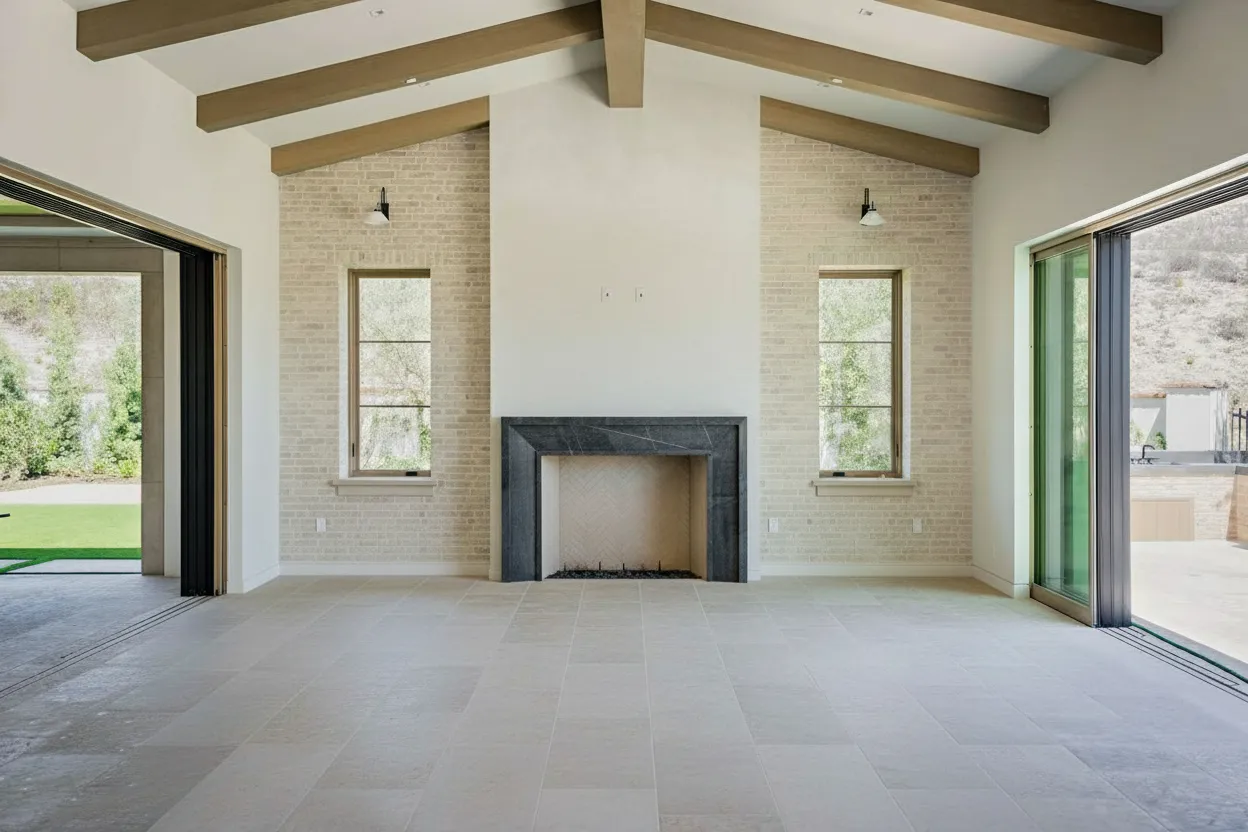
In a competitive real estate market, standard photos are no longer enough to capture a buyer’s full attention. Immersive 360° virtual tours have become an expected part of the property search, giving potential buyers the freedom to explore a listing from anywhere, at any time. This has led to an explosion of tools designed to create these digital walkthroughs.
With dozens of options available, each with its own features and pricing, finding the best 360 virtual tour software for your specific needs can feel overwhelming. Whether you’re a real estate agent on a budget, a professional photographer needing advanced customization, or a property manager handling a large portfolio, the right tool makes all the difference.
This guide is designed to provide clarity and cut through the marketing noise. We’ll deliver a direct, feature-by-feature comparison of the top platforms on the market. For each option, you’ll find:
- A detailed breakdown of its strengths and weaknesses.
- Honest insights into ideal use cases and limitations.
- Screenshots and direct links to see the software in action.
We’ll analyze everything from tour creation and MLS compliance to advanced features like virtual staging and key integrations. Our goal is simple: to give you the information needed to confidently select a platform that not only produces stunning tours but also fits your budget and improves your workflow.
1. BrightShot
BrightShot earns its position as our featured choice by fundamentally changing the real estate marketing workflow. While many platforms focus solely on tour creation, BrightShot operates as an AI-first visual enhancement suite, turning standard photos into a full suite of marketing assets, including immersive 360° tours and cinematic video walkthroughs. Its core strength lies in its speed and a comprehensive toolkit that replaces multiple manual processes and specialized software.

This platform excels at preparing visuals before they are assembled into a tour. An agent can upload photos of an empty or cluttered room and, in about 15-20 seconds per image, receive a photorealistic, virtually staged result. The system’s intelligence extends to decluttering, correcting poor lighting, and performing day-to-dusk conversions, all with a single click.
Once the images are perfected, BrightShot seamlessly converts them into a 360° virtual tour or a video walkthrough. This integrated process makes it some of the best 360 virtual tour software for users who need an all-in-one solution for both image prep and tour creation. It eliminates the need to edit photos in one program and build the tour in another, saving significant time.
Key Features & Use Cases
- AI-Powered Image Enhancement: The platform’s standout feature is its suite of one-click editing tools. This includes virtual staging with over 80 interior styles, intelligent object removal for decluttering, and sky or lawn replacement for improved curb appeal.
- Integrated Tour & Video Creation: Users can directly convert their enhanced still images into both 360° virtual tours and cinematic video walkthroughs. This creates a consistent visual identity across all marketing materials.
- Social Media Publishing: BrightShot includes tools to add branded overlays and AI-generated captions, allowing for one-click publishing of listings to Instagram, Facebook, and TikTok. This is ideal for agents looking to maximize their social media presence.
- Developer-Friendly API: For brokerages or large media companies, the available API and SDKs (supporting Node, Python, Java, and more) allow for the automation of high-volume image processing, integrating BrightShot’s capabilities directly into existing systems.
Pricing and Access
BrightShot operates on a freemium model. A free trial is available, providing 3 free image credits without requiring a credit card. Paid plans are structured around monthly image allowances, with tiers like Basic (~80 images/month) and Professional (~250 images/month), and offer discounts for annual billing. This flexible structure allows individual agents and large firms to find a suitable plan.
Pros & Cons
Pros:
- Exceptional Speed: Delivers photorealistic staged and enhanced images in seconds, not days.
- All-in-One Toolkit: Combines virtual staging, decluttering, advanced editing, 360° tours, and video creation in a single platform.
- Scalability: The API and SDKs make it a powerful choice for high-volume, programmatic workflows.
Cons:
- Usage-Based Costs: The plan limits mean power users processing hundreds of images may need to upgrade to higher-tier plans to avoid overages.
- AI Limitations: While highly accurate, extremely complex or cluttered scenes might occasionally require minor manual adjustments for a perfect result.
Website: https://bright-shot.com
2. Matterport
Matterport is a dominant force in the real estate industry, known for creating immersive 3D “digital twins” of properties rather than simple 360-degree photo tours. It’s a complete system that includes capture, processing, and hosting. Its automated process stitches together scans to build a dimensionally accurate model that users can walk through in a dollhouse or floor plan view. The platform is highly recognized on major US real estate portals, making it a standard for many MLS listings.

The primary differentiator for Matterport is its focus on spatial data. This allows for features like accurate in-tour measurements, which are valuable for architects, designers, and serious buyers planning furniture placement. The platform can also generate schematic floor plans and complex file types like BIM or CAD files (via the MatterPak bundle), positioning it as a top choice for AEC (Architecture, Engineering, and Construction) professionals.
Pricing & Key Features
Matterport’s pricing is subscription-based, with tiers determined by the number of “Active Spaces” you need to host. Plans range from a free option for a single space to professional and business plans supporting hundreds of active models. The capture process requires a compatible camera; while you can use a smartphone, a dedicated 360 camera or Matterport’s own Pro series camera is recommended for professional quality. For a deeper dive into hardware, this guide on the best camera for real estate photography offers valuable insights.
- Best For: Agents and photographers who need industry-standard, dimensionally accurate 3D models and floor plans.
- Pros: High buyer recognition, best-in-class measurement accuracy, extensive integrations.
- Cons: Ongoing hosting fees can become expensive, and the capture process is more involved than basic 360 photo tours.
Website: https://matterport.com
3. Zillow 3D Home
Zillow 3D Home is the real estate giant’s free-to-use tool designed to bring 360 virtual tours and interactive floor plans directly to its massive user base. Its primary value proposition is its direct integration with the Zillow and Trulia portals. Tours created with the app receive preferential treatment in search results and email alerts, offering a powerful, no-cost marketing advantage for agents listing on the platform. It provides a simple, capture-and-publish mobile workflow for DIY creators.
The platform stands out by automatically generating an interactive floor plan as you capture the 360-degree panoramic images. Users can navigate by tapping on rooms in the floor plan or moving between camera shots. This combination of a 360 tour and a floor plan offers a great user experience at zero software cost. While its features are more basic than dedicated platforms, its direct pipeline to one of the largest property search audiences in the US makes it a standout option, particularly for agents looking to maximize exposure without a budget.
Pricing & Key Features
Zillow 3D Home is completely free to use. There are no subscription fees, hosting costs, or limits on the number of tours you can create. Capture can be done using just a compatible iPhone or with popular 360 cameras from Ricoh and Insta360 for higher quality. The app automatically processes the images, including applying its own HDR-like effect to balance lighting; you can learn more about this technique in this guide to HDR real estate photography. The platform also provides an unbranded, MLS-compliant link for each tour.
- Best For: US-based real estate agents who want a free, simple way to create tours and boost their listings’ visibility on Zillow.
- Pros: Completely free to create and host, provides boosted visibility on Zillow and Trulia, generates an interactive floor plan automatically.
- Cons: Limited customization and branding options, features are basic compared to paid platforms, and tour functionality is tied to the Zillow ecosystem.
Website: https://www.zillow.com/3d-home/
4. RICOH360 Tours
RICOH360 Tours is a mobile-first virtual tour platform designed for a fast, efficient capture-to-publish workflow. While optimized for its own popular line of THETA 360 cameras, the platform supports other inputs, making it a flexible choice. Its main appeal lies in a straightforward, all-in-one system built for real estate teams and agents who need to produce tours at scale without complex pricing models.

The platform distinguishes itself with unlimited tour hosting and storage on its paid plans, a significant benefit for high-volume producers. This predictable cost structure removes the worry of escalating fees as your portfolio grows. The software also incorporates AI-powered tools, including an automatic video generator and a virtual staging feature, which adds value directly within the tour creation process. It also provides easy ordering for floor plans and MLS-compliant links, making it a complete package for real estate marketing.
Pricing & Key Features
RICOH360 Tours operates on a subscription model, with plans starting at a professional tier that includes unlimited active tours and media storage. More advanced features like custom domain names are available on the Business plan. While the software works with various 360 cameras, the user experience is most seamless when paired with a Ricoh THETA camera, as the mobile app is built to integrate with it directly. Some services, like AI virtual staging and floor plan creation, are available as add-on purchases.
- Best For: Real estate agents and teams looking for a simple, scalable solution with predictable, flat-rate pricing.
- Pros: Generous unlimited tour hosting on paid plans, integrated AI tools and floor plan services, straightforward workflow.
- Cons: Best experience is tied to Ricoh hardware, and some advanced features incur additional fees per use.
Website: https://www.ricoh360.com/tours/
5. CloudPano
CloudPano is a browser-based 360 tour builder that prioritizes speed, branding, and sales enablement features. Its platform is designed for users who need to create and publish branded tours quickly, making it a popular choice in the US real estate and automotive markets. The entire process, from uploading 360-degree photos to publishing a finished tour, happens within the web browser, making it highly accessible with a fast learning curve.

The platform’s standout features are geared toward marketing and direct client interaction. CloudPano Live allows agents to video chat with potential buyers directly within the virtual tour, guiding them through the property in real time. This function adds a personal touch often missing from self-guided tours. The strong white-labeling options let agencies and photographers present tours under their own custom domain and branding, reinforcing their professional identity. While it can produce dollhouse views and floor plans, it is not a direct substitute for the 3D data capture of more complex systems.
Pricing & Key Features
CloudPano operates on a subscription model, with a free plan for getting started and paid tiers (Pro Plus and Teams) that unlock the full suite of features. A major advantage of the paid plans is the allowance for unlimited published projects, which is cost-effective for high-volume producers. The ability to publish directly to Google Street View is also a key feature for boosting a property’s online visibility. While the software excels with ground-level tours, incorporating different perspectives can elevate a listing; understanding the basics of aerial photography for real estate can provide complementary visuals for a more complete marketing package.
- Best For: Real estate professionals and agencies needing fast, brandable tours with built-in live sales tools.
- Pros: Easy to learn and use, strong white-labeling capabilities, and competitive pricing for unlimited tours.
- Cons: Fewer photogrammetry/3D outputs compared to competitors, with advanced features locked behind higher-tier plans.
Website: https://www.cloudpano.com
6. Kuula
Kuula is a streamlined and user-friendly platform focused on high-performance 360-degree virtual tour hosting and creation. It’s favored by photographers and agents who need a fast, reliable, and straightforward solution to publish and share panoramic images. Instead of complex 3D modeling, Kuula excels at linking high-resolution 360 photos with customizable hotspots, info labels, and interactive elements. Its lightweight and fast-loading player makes it one of the best 360 virtual tour software options for embedding directly into websites without slowing them down.

The platform’s primary advantage is its simplicity and speed. Users can upload stitched panoramas and quickly build a tour using an intuitive drag-and-drop editor. This approach is perfect for creating branded client experiences with custom logos, colors, and even background audio. For those managing a large volume of properties, the ability to add a custom domain and access analytics provides a professional, agency-level presentation.
Pricing & Key Features
Kuula operates on a freemium and subscription model. The free plan is quite generous, allowing for public uploads, but paid Pro and Business plans unlock critical professional features. The Pro plan adds private tours, custom hotspots, and high-definition embeds. The Business plan is required for full branding removal, custom domain support, and Google Analytics integration. Since Kuula is a hosting platform, it works with images from any 360 camera, giving users complete hardware flexibility.
- Best For: Photographers and agents prioritizing speed, ease of use, and high-quality photo-based tours.
- Pros: Very simple publishing workflow, high-performance embeds, and scalable plans from free to business.
- Cons: Does not provide 3D dollhouse models or measurement tools; deeper customization requires a Business plan.
Website: https://kuula.co
7. 3DVista Virtual Tour Pro
3DVista Virtual Tour Pro moves away from the cloud-based subscription model, offering a powerful desktop software for users who demand complete creative control and ownership. This one-time purchase software allows professionals to build highly customized, interactive tours with advanced features like embedded videos, audio, and complex hotspot logic. It’s a favorite among agencies and photographers who want to deliver a unique, branded experience without being tied to a specific hosting platform.

The platform’s key distinction is its self-hosting capability and one-time payment structure. Once a tour is built, you can export it to host on your own website, a client’s server, or even for offline viewing, providing total freedom from recurring fees. Standout features include Live Guided Tours, where an agent can lead clients through the tour in real-time, and rich multimedia integration. Mastering this software requires practice, but for those creating advanced tours, this detailed improved 3D photography guide can help refine your technique.
Pricing & Key Features
3DVista is sold as a perpetual license with a one-time fee, which includes one year of free updates. After the first year, users can optionally purchase another year of updates to access new features. This model makes it one of the best 360 virtual tour software options for predictable, long-term cost management. While the core software is a single purchase, advanced features like the Live Guided Tour TURN service (for firewall compatibility) and branded app viewers come at an additional cost.
- Best For: Creative agencies and photographers wanting maximum design control and self-hosting without recurring fees.
- Pros: Perpetual license provides excellent long-term value, deep customization options, and strong offline/self-hosting capabilities.
- Cons: The desktop workflow has a steeper learning curve, and some advanced features require extra payment.
Website: https://www.3dvista.com
8. Garden Gnome Pano2VR
Pano2VR by Garden Gnome is not a cloud-based platform but a powerful desktop authoring tool for macOS, Windows, and Linux. It’s built for technical creators who demand complete control over the final product, from the user interface to hosting. Instead of a simple upload-and-share workflow, Pano2VR provides a sophisticated editor to build custom interactive tours from scratch, making it one of the most flexible options for crafting a unique user experience.

The standout feature is its skin editor, a deep and powerful tool that allows you to design every visual element of your tour, including buttons, menus, and information pop-ups. This makes it ideal for branding and adding complex functionality. The software can export projects as self-contained HTML5 packages for self-hosting on any server, or as offline packages that can be viewed without an internet connection. It also directly integrates with Google Street View for publishing.
Pricing & Key Features
Pano2VR offers a flexible licensing model that sets it apart. You can purchase a perpetual license, which is a one-time fee for the software version, or opt for a subscription that includes hosting on the Garden Gnome cloud. This choice makes it attractive for photographers who want to own their software and avoid recurring platform fees. The learning curve is steeper than one-click solutions, but the trade-off is unparalleled customization.
- Best For: Professional photographers and developers who need full creative control, self-hosting capabilities, and offline tour options.
- Pros: Complete customization with an advanced skin editor, flexible licensing (perpetual or subscription), and the ability to self-host.
- Cons: Steeper learning curve than cloud-based platforms, and the perpetual license doesn’t include hosting without a separate plan.
Website: https://ggnome.com/pano2vr/
9. Metareal Stage
Metareal Stage offers a unique middle ground between basic 360 photo tours and complex 3D scanning systems. It reconstructs true 3D models and interactive floor plans from standard 360-degree photos, giving creators access to dimensional data without requiring specialized LIDAR scanners. This makes it one of the more accessible options for producing 3D deliverables. The platform is built around a flexible workflow, allowing users to either build the tours themselves or outsource the processing.

The key differentiator is Metareal’s “Built-For-You” service, which processes panoramas for a small per-photo fee. This lets photographers and agents capture images with any 360 camera and receive a fully constructed 3D tour, dollhouse view, and floor plan. The ability to export these assets as 3D models (OBJ files) or floor plan files (SVG, PNG) also adds significant value for designers and architects who need to work with the data in other programs, positioning it as a strong contender in the best 360 virtual tour software category for technical users.
Pricing & Key Features
Metareal Stage uses a hybrid pricing model. You can subscribe to a monthly plan that includes a certain number of projects and features, or you can use their pay-as-you-go processing. The “Built-For-You” service is priced per panorama, making costs predictable and scalable. For those who prefer a hands-on approach, the platform provides the DIY tools to stitch and model tours manually, though this involves a steeper learning curve. This flexibility caters to both high-volume professionals and those with occasional projects.
- Best For: Photographers and agencies wanting 3D models and floor plans from 360 photos without investing in expensive scanners.
- Pros: Creates true 3D from standard 360 images, flexible pricing with per-panorama processing.
- Cons: The DIY interface requires practice to master, and generating accurate 3D from photos can be less precise than dedicated scanning.
Website: https://www.metareal.com
10. EyeSpy360
EyeSpy360 is a cloud platform focused on speed and efficiency, automatically generating virtual tours, floor plans, and even short teaser videos from uploaded 360 photos. The platform is designed to be a one-stop-shop for creating a full suite of marketing assets from a single set of images. Its system requires minimal manual input, appealing to users who want a fast, automated workflow.

The platform’s standout feature is its live remote viewing, which allows an agent to guide one or more clients through a tour in real-time, complete with screen sharing and two-way audio. This functionality turns a static tour into an interactive, guided presentation, perfect for connecting with out-of-town buyers or offering personalized walkthroughs without a physical visit. This positions it as an effective sales tool, not just a property showcase.
Pricing & Key Features
EyeSpy360 offers a flexible pricing model with both pay-as-you-go (PAYG) and monthly subscription options. The PAYG model allows users to pay for processing on a per-image basis, which is ideal for those with infrequent projects. Monthly plans come with a set number of included tour credits, offering better value for high-volume users. The heavy reliance on cloud processing means there are fewer deep customization controls compared to some desktop-based software.
- Best For: Agents and teams looking for an all-in-one, automated system that includes live guided tour capabilities.
- Pros: Minimal upfront cost with the PAYG model, all-in-one outputs are useful for listing packages, live remote viewing is a strong sales feature.
- Cons: Heavy reliance on cloud processing with fewer deep customization options; PAYG minimums and monthly plans limit free usage.
Website: https://www.eyespy360.com
11. TeliportMe
TeliportMe positions itself as a powerful and scalable platform, offering a strong balance of features for real estate photographers and brokerages. It provides a comprehensive toolset including white-label domains, MLS-compliant tours, and direct publishing to Google Street View. The platform is designed for users who need to produce a high volume of tours without being limited by storage or tour counts on higher-tier plans.

A key differentiator is its focus on branding and scalability. With features like brand workspaces and custom domain support, agencies can deliver a fully white-labeled experience to their clients. TeliportMe also includes a 3D dollhouse view and can generate floor plans, making it a competitive choice for those seeking premium features. It’s often seen as a direct alternative to more expensive systems, providing similar functionality with a more accessible pricing model, especially for users who opt for annual billing.
Pricing & Key Features
TeliportMe uses a subscription model with several tiers, including a free plan for basic use. The paid plans scale up to offer unlimited tours and storage, which is a significant advantage for high-volume producers. The onboarding process is noted for being straightforward, allowing new users to create and share tours quickly. While it offers impressive 3D-style features, it has fewer of the complex, scan-grade deliverables like BIM or CAD files found in platforms like Matterport, making it more focused on marketing than on AEC applications.
- Best For: Photographers and brokerages looking for a scalable, white-label solution with unlimited tours.
- Pros: Strong feature-to-value mix with annual discounts, straightforward onboarding and sharing workflows.
- Cons: Fewer AEC/scan-grade deliverables, and some advanced branding options are gated to higher pricing tiers.
Website: https://teliportme.com
12. SeekBeak
SeekBeak is a web-based platform that positions itself as a marketing and lead-generation tool built directly into the virtual tour experience. Rather than just showcasing a space, it’s designed to actively capture viewer information and drive engagement through a high degree of interactivity. This makes it a strong contender for teams that prioritize measurable marketing outcomes from their 360 content. The platform supports a wide range of 360 cameras and is entirely browser-based, requiring no software installation.

The core differentiator for SeekBeak is its powerful hotspot editor, which allows users to embed custom forms, polls, and data collection fields directly within the tour. This feature transforms a passive viewing into an interactive lead funnel. It also provides robust team management capabilities, with controls for user roles, sub-teams, and custom domains, making it suitable for brokerages or marketing agencies managing multiple clients and projects. Google Street View publishing is also an option on specific plans.
Pricing & Key Features
SeekBeak operates on a tiered subscription model, starting with a free plan for basic projects and scaling up to enterprise-level solutions. Key features like custom form creation and the reseller white-label option are available as add-ons or on higher-tier plans, so it’s important to evaluate your needs against the subscription costs. The platform’s analytics dashboard provides detailed insights into viewer behavior, tracking hotspot clicks and engagement to help refine marketing strategies. This focus on data makes it some of the best 360 virtual tour software for performance-driven users.
- Best For: Marketing teams and brokerages focused on lead capture and detailed user analytics within tours.
- Pros: Strong built-in marketing and lead-generation tools, fine-grained team and workspace management.
- Cons: Key form and white-label features are add-ons, and its ecosystem is smaller compared to larger platforms.
Website: https://seekbeak.com
Top 12 360 Virtual Tour Software Comparison
| Product | Key features | UX / Quality | Price & value | Target (👥) & USP (✨) |
|---|---|---|---|---|
| BrightShot 🏆 | Virtual staging, declutter, lighting, day→dusk, sky/lawn, perspective swaps, 360° & cinematic video | ★★★★★ Photoreal, MLS‑compliant, ~15–20s edits | 💰 Free (3 imgs) → tiered plans (≈80 / 250 / 600+ imgs/mo) | 👥 Agents, photographers, teams — ✨All‑in‑one AI editing + API/SDK + social tools |
| Matterport | Automated 3D capture, measurements, floorplans, MatterPak exports | ★★★★☆ Best‑in‑class geometry & fidelity | 💰 Space/hosting pricing; can add up | 👥 AEC & brokerages — ✨Accurate 3D, wide integrations |
| Zillow 3D Home | Mobile 360 capture, interactive floorplans, auto‑syndicate to Zillow/Trulia | ★★★☆☆ Easy DIY capture; strong portal exposure | 💰 Free | 👥 US agents (DIY) — ✨Auto‑publish to Zillow/Trulia |
| RICOH360 Tours | Unlimited active tours (paid), AI video maker, AI virtual staging, floorplan ordering | ★★★★☆ Team workflow, predictable flat pricing | 💰 Flat pricing with add‑ons for some features | 👥 Ricoh users & teams — ✨Unlimited hosting + built‑in AI tools |
| CloudPano | White‑label viewers, live in‑tour video chat, Google Street View publishing | ★★★★☆ Fast onboarding, branded tours | 💰 Competitive; unlimited published projects tiers | 👥 Brokerages & dealers — ✨Strong white‑label & live chat |
| Kuula | Tour editor, hotspots, audio, HD embeds, unlisted/private tours | ★★★☆☆ Lightweight, fast embeds | 💰 Scalable tiers; Business adds domain/analytics | 👥 Photographers & agents — ✨Quick, simple publishing |
| 3DVista Virtual Tour Pro | Desktop authoring, live guided tours, multimedia hotspots, white‑label export | ★★★★☆ Deep design control; steeper learning curve | 💰 One‑time license + optional paid upgrades | 👥 Agencies wanting control — ✨Perpetual license & offline export |
| Garden Gnome Pano2VR | Advanced skin/GUI editor, offline .ggpkg, animation/video export | ★★★☆☆ Technical, highly customizable | 💰 Perpetual or subscription; hosting extra | 👥 Technical creators — ✨Full customization & self‑hosting |
| Metareal Stage | 3D reconstruction from 360 photos, interactive floorplans, 3D exports | ★★★☆☆ True 3D results; requires learning or outsourcing | 💰 DIY or per‑pano processing (affordable) | 👥 Teams needing 3D without scanners — ✨Photo→3D workflow & exports |
| EyeSpy360 | Auto tours, floorplans, teaser videos, live remote viewing, PAYG processing | ★★★☆☆ Easy PAYG; basic customization | 💰 PAYG or monthly bundles — low upfront cost | 👥 Agents & small teams — ✨Per‑listing PAYG + live guided tours |
| TeliportMe | Unlimited tours/storage on higher tiers, brand workspaces, 3D dollhouse | ★★★☆☆ Good feature/value mix for volume | 💰 Competitive annual pricing; unlimited options on plans | 👥 Photographers & brokerages — ✨Value for volume & MLS‑compliant tours |
| SeekBeak | Interactive hotspots, custom forms, lead capture, team roles | ★★★☆☆ Marketing‑focused interactivity | 💰 Tiered plans; add‑ons for white‑label | 👥 Marketing teams & brokers — ✨Built‑in lead capture & analytics |
Choosing Your Perfect Tour Solution
Selecting the right 360 virtual tour software is a critical business decision, not just a technical one. The platform you choose will shape your marketing workflow, define your brand’s visual identity, and directly influence your budget. We’ve explored a wide spectrum of tools, from industry giants to specialized niche players, each with a distinct purpose.
Your final choice shouldn’t be based on which tool has the longest feature list, but on which one aligns most closely with your specific business goals, technical comfort level, and target audience. The “best 360 virtual tour software” is the one that solves your biggest problem most effectively.
Recapping the Core Categories
To simplify your decision, let’s revisit the main categories of solutions we covered:
- The All-in-One Ecosystem (Matterport): For those who need a gold-standard, end-to-end solution with precise digital twins, schematic floor plans, and widespread industry recognition, Matterport remains the benchmark. It’s an investment in a trusted system.
- The Free Network Integrator (Zillow 3D Home): If your primary objective is maximizing visibility on Zillow and Trulia at no cost, Zillow 3D Home is an unbeatable starting point. Its simplicity and direct integration make it a go-to for many agents.
- The Flexible Web-Based Platforms (CloudPano, Kuula, RICOH360 Tours): These tools offer a great middle ground. They provide robust features, easy sharing, and subscription models that are accessible for individuals and small teams looking for professional results without a steep learning curve.
- The Creative Powerhouses (3DVista, Pano2VR): For photographers and media professionals who demand absolute creative control, self-hosting capabilities, and one-time purchase options, these desktop applications provide limitless customization. They are for the creators who want to build a truly unique tour experience from the ground up.
Key Factors in Your Decision-Making Process
As you weigh your options, move beyond the marketing copy and consider these practical implementation factors:
- Workflow & Time Investment: How much time can you realistically dedicate to tour creation? A platform like Zillow 3D Home is fast and simple, whereas a tool like Pano2VR requires a significant commitment to learning and production.
- Hardware Requirements: Do you already own a 360 camera, or do you need a solution that works with a smartphone? Your existing equipment will immediately narrow down your choices.
- Client & Market Expectations: Are your clients expecting a Matterport-branded tour with a “dollhouse” view? Or do they simply need a clean, easy-to-navigate virtual walkthrough? Understand your market’s standards.
- Hosting & Ownership: Do you want the convenience of cloud hosting managed by the provider, or is it essential for you to own the files and host them on your own server for long-term control and no recurring fees?
- Budget & Pricing Model: A one-time fee for software like 3DVista is very different from a monthly subscription like CloudPano or a per-model processing fee like Matterport. Calculate your expected volume and determine which model is most cost-effective for your business.
The Missing Piece: Pre-Tour Image Enhancement
One critical step often overlooked is the quality of the panoramas before they are stitched into a tour. The most feature-rich software can’t fix a poorly lit or cluttered room. This is where a specialized tool like BrightShot fits into the modern real estate marketing puzzle.
While most of the platforms we discussed focus on tour assembly and hosting, BrightShot concentrates on perfecting the source material. By using AI to virtually stage empty 360° photos, remove clutter, or apply professional lighting and color correction, it ensures every scene in your tour is visually stunning. This focus on pre-production enhancement complements any tour-stitching software you choose.
For the ultimate workflow, consider a hybrid approach: capture your 360° images, use BrightShot to enhance and virtually stage them, and then upload those perfected panoramas into your chosen tour-building platform. This strategy gives you the best of both worlds-a polished, magazine-quality look within an interactive, immersive tour, helping your properties command attention and drive faster sales.
Ready to ensure every panorama in your next virtual tour looks professionally staged and edited? Discover how BrightShot uses AI to enhance 360° photos, generate cinematic videos, and create a complete marketing kit from a single photoshoot. Visit BrightShot to see how you can elevate your visuals before you even build your tour.